







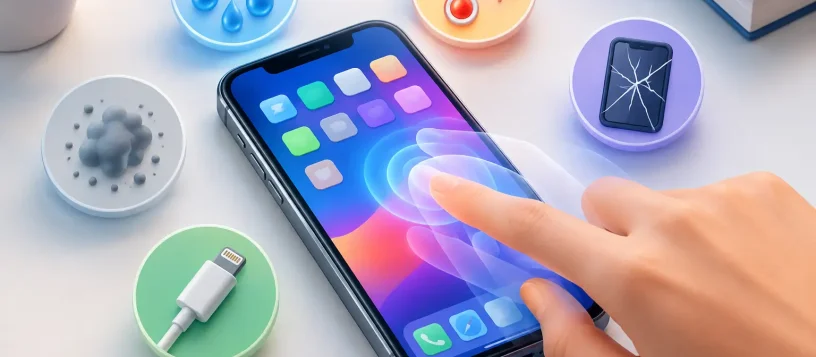
Your iPhone opens apps you did not tap, types random letters, scrolls on its own, or ends a call while it is sitting in your hand. That is more than an annoyance when you depend on your phone for work, family, payments, and directions. If you are asking what causes iPhone ghost touch issue, the short answer is that the display is registering input that is not really there. The real cause can range from a simple charging problem to a damaged screen that needs professional repair.
Ghost touch can appear suddenly after a drop or water exposure, but it can also build gradually as a screen, connector, or battery starts to fail. Knowing the likely cause helps you avoid wasting money on a fix that will not last.
What Is an iPhone Ghost Touch Issue?
An iPhone uses a touch-sensitive layer called a digitizer to detect the electrical changes created by your finger. When that layer, its connection, or the software interpreting the signal is disrupted, the phone may react as if someone is touching the display.
The behavior is often unpredictable. You may see the keyboard press several keys, an app launch by itself, the screen jump while you read, or your passcode entered incorrectly. In more serious cases, ghost touches can lock you out after too many failed passcode attempts. If the screen starts making selections on its own, avoid repeatedly trying to use it until you have protected your data.
What Causes iPhone Ghost Touch Problems?
There is no single answer for every device. A technician needs to consider what happened before the problem began, whether the screen was previously replaced, and whether the issue happens only while charging or all the time.
A Cracked, Pressured, or Failing Screen
Physical damage is one of the most common causes. Even a small crack can affect the digitizer beneath the glass. A hard drop may also damage internal display layers without leaving a dramatic crack on the surface.
Pressure can cause similar trouble. Sitting on a phone, storing it tightly in a bag, or bending the device slightly can strain the display assembly. The screen may still look normal at first, yet begin registering touches near one edge or across the entire panel.
A screen that has developed bright lines, flickering, dead areas, discoloration, or black spots is especially likely to have a hardware-related touch issue. Restarting the iPhone may temporarily interrupt the symptoms, but it will not repair a damaged digitizer.
Low-Quality or Improper Screen Replacement
Ghost touch sometimes begins after a screen repair. This does not automatically mean every replacement screen is defective, but display quality and installation accuracy matter.
An incompatible, low-grade, or damaged replacement part may have weak touch sensitivity. A loose display connector, a connector that was not seated correctly, or damage to the connector during a previous repair can also create intermittent input. The symptoms may come and go when the phone is moved, warmed up, or pressed around the screen edges.
This is why the lowest price is not always the best value for an iPhone screen repair. A proper diagnosis should check both the replacement display and the internal connections rather than assuming a new screen alone is the answer.
Moisture and Liquid Damage
Water resistance is not the same as waterproof protection. Liquid can enter through a cracked screen, worn seal, charging port, speaker opening, or damaged housing. Humidity and condensation can also affect a device that has not been fully submerged.
Once moisture reaches display connectors or board components, it can cause erratic touch behavior. The issue may show up immediately, or corrosion may continue after the phone seems dry. Ghost touches following a spill, rain exposure, bathroom steam, or a dropped phone in snow should be treated seriously.
Do not use rice, heat, or a hair dryer to solve liquid damage. Heat can harm the battery and push moisture deeper into the device. Turn the iPhone off if possible, disconnect it from power, and arrange a proper inspection as soon as you can.
Charging Cable, Adapter, or Power Problems
Does the ghost touch happen only when your iPhone is plugged in? Start with the charger. A damaged cable, poor-quality adapter, failing outlet, or unstable power source can create electrical interference that affects touch input.
Unplug the iPhone and see whether the behavior stops. Then test with a known-good, certified cable and adapter connected directly to a reliable wall outlet. Avoid testing with a damaged charging block, an overloaded power bar, or an unknown car charger.
If ghost touches disappear when unplugged, you may only need to replace the charging accessory. If they continue on battery power, the cause is more likely to be the display, connector, battery, or internal circuitry.
Software Glitches and iOS Issues
Not every ghost touch issue is physical. An iOS bug, a problematic app, a failed update, or a temporary system error can cause the screen to behave strangely. These cases are less common when symptoms are constant, but they are worth checking before replacing parts.
A forced restart can clear temporary processes. Installing the latest available iOS update may resolve known software bugs, particularly if the issue began soon after an update or appears only inside one app. If only one app acts up, update or reinstall that app before assuming the screen has failed.
Be realistic about the result. Software steps will not fix a cracked digitizer, liquid corrosion, or a loose display connection. When the phone taps randomly on the lock screen, during setup, or across several apps, a hardware diagnosis becomes more likely.
Battery Swelling or Internal Component Damage
A swollen battery can push upward against the display from inside the phone. Warning signs include a screen lifting from the frame, a gap around the edge, unusual warmth, or a phone that no longer sits flat. This is a safety concern, not a repair to postpone.
Do not press the screen back into place or keep charging a phone with a lifted display. Stop using it and have the battery inspected promptly. Internal board damage from a drop, liquid, or prior repair can also interfere with touch signals and may require more than a standard screen replacement.
Safe Steps to Take Before a Repair
First, back up your iPhone as soon as you can. If the screen is still usable, use iCloud or a computer backup. If ghost touches make the device difficult to control, ask for help before repeated incorrect passcode entries create a larger problem.
Next, remove the case and screen protector. A badly fitted protector, debris around the screen edge, or pressure from a damaged case can occasionally affect touch response. Clean the screen gently with a dry microfiber cloth, then test the phone without accessories attached.
Force restart the iPhone, update iOS if you can do so safely, and test it while unplugged. Pay attention to the pattern: does the issue start when charging, after the phone warms up, in one specific area, or after a recent drop? Those details make diagnosis faster and more accurate.
Avoid pressing hard on the screen, opening the phone yourself, or using adhesive to hold a lifting display down. These actions can turn a repairable fault into a more expensive board or battery repair.
When Professional Diagnosis Is the Best Next Step
A professional inspection is the practical choice when ghost touches continue after a restart, occur without a charger connected, follow a drop or liquid exposure, or happen alongside flickering and screen damage. The goal is to identify whether the fault is the display, charging equipment, battery, connectors, or internal board components before recommending work.
For residents in Vaughan, Woodbridge, Maple, Kleinburg, and Nobleton, Vaughan Computers can inspect the device, explain the cause in plain language, and provide an upfront repair option. Fast diagnosis matters because a phone that is making its own selections can compromise your data, interrupt communication, and become harder to use over time.
Your iPhone should respond to your touch, not invent its own. Back up what you can, stop using unsafe charging accessories, and get recurring ghost touches checked before a small display fault becomes a bigger interruption.