







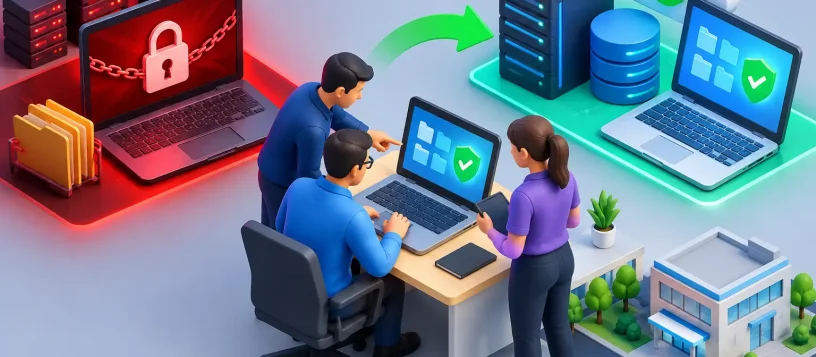
A ransomware recovery example is easiest to understand when the pressure is real: an office opens on Monday morning, shared files will not open, customer records are unavailable, and a message demands payment for a decryption key. The first few hours can determine whether the business restores safely or turns one infected computer into a much larger outage.
For local families and small businesses, ransomware is not just an IT problem. It can interrupt work, block access to photos and documents, delay invoices, and expose important personal or business information. A calm, methodical response gives you the best chance of limiting damage and getting back to work.
Ransomware Recovery Example: What Happened
Consider a small professional office with eight computers, a shared network drive, cloud email, and an external hard drive used for backups. An employee received an email that looked like a document-sharing request from a familiar supplier. After opening the attachment and enabling a prompt, malicious software began encrypting files in the background.
The employee did not notice the attack immediately. By the time files started showing unusual names and a ransom note appeared, the infected computer had accessed several shared folders. Estimates, spreadsheets, client PDFs, and archived project files could no longer be opened.
The office made one smart decision right away: they disconnected the affected computer from the network. They did not restart it repeatedly, attempt random online fixes, or plug the backup drive into another computer to “check” it. Those actions can make recovery harder and may spread the infection to devices or backups that are still safe.
A technician then checked the rest of the environment. Two additional computers showed suspicious activity but had not yet displayed ransom messages. The shared drive had encrypted files, while the cloud email account was still accessible. The external backup drive had been disconnected over the weekend, which turned out to be the office’s most valuable protection.
The First Response: Contain Before You Recover
Ransomware recovery starts with containment, not file restoration. Restoring data to an infected computer can lead to a second encryption event and more lost time.
In this example, the affected workstation was kept offline. The office’s Wi-Fi and wired network connections were reviewed, active sessions were checked, and potentially affected devices were isolated. Passwords for email, file storage, remote access, and administrator accounts were reset from a known-clean device. Multi-factor authentication was enabled where it was not already in place.
The technician also documented what was visible: the ransom note, affected file types, user accounts, and approximate time the problem began. This record helps determine how far the infection may have spread. If the office carries cyber insurance or must meet privacy obligations, it can also support an incident report.
There is a trade-off here. Disconnecting systems quickly can interrupt normal work, even on computers that may be clean. But a short, controlled interruption is often far less costly than allowing ransomware to move through shared folders, cloud sync tools, or connected backup storage.
Finding a Safe Recovery Path
The office had backups, but not every backup was automatically safe. A backup that stays connected to the network can be encrypted along with everything else. The technician checked the external drive on a separate, clean system and confirmed that the most recent backup was from Friday evening, before the attack.
That meant the office would lose only a limited amount of weekend work. The team identified a few urgent files that had been created Monday morning and recreated them manually from email attachments and printed notes. This was inconvenient, but it was much better than paying a ransom with no assurance that files would be restored.
A recovery plan was created in this order: preserve the available evidence, clean or rebuild affected computers, verify the backup, restore the most important files first, then return systems to service one at a time. Priority went to client records, current projects, financial documents, and the shared templates staff needed to work.
For some ransomware types, free decryption tools may be available. For others, they are not. A professional assessment can identify the strain and determine whether a legitimate recovery option exists. It is never wise to download unknown “decryptors” from random sources, since scammers often use ransomware incidents to distribute more malware.
Why Paying the Ransom Was Not the Plan
The ransom note demanded cryptocurrency and warned that files would be permanently lost if the office did not pay quickly. The business owners understandably asked whether payment would be faster than rebuilding computers and restoring the backup.
Paying can seem like the quickest option when critical files are unavailable, but it carries serious uncertainty. Criminals may not provide a working decryption key. Decryption can be slow and incomplete. The attackers may retain stolen data or target the same organization again. Payment also does not remove the original security weakness that allowed the attack.
There are situations where an organization must make difficult decisions with legal, insurance, and incident-response guidance. A local repair and IT support team should not promise that every file can be recovered. What they can do is identify the safest available options, explain the likely time and cost involved, and protect clean data before any recovery work begins.
Rebuilding the Computers Safely
In this ransomware recovery example, the infected workstation was not simply returned to service after an antivirus scan. The operating system was rebuilt from a trusted source. Business software was reinstalled, security updates were applied, and only verified files were copied back.
The two computers with suspicious activity received a deeper review. One was rebuilt as a precaution, while the other was cleared after checks confirmed that it had not executed the malicious file. Network equipment and remote access settings were reviewed as well, because ransomware can sometimes arrive through weak passwords, outdated software, or exposed remote connections.
The restored files were tested before staff returned to work. Opening a folder is not enough. The office checked that documents opened correctly, spreadsheets retained their formulas, databases were intact, and recent customer records were available. A backup is only useful when it can actually be restored.
The office was operational again within a controlled window, beginning with essential workstations and the shared files employees needed first. Less urgent archive material was restored afterward. This phased approach reduced confusion and allowed each device to be checked before it rejoined the network.
What This Example Teaches Small Businesses
The biggest lesson is that recovery depends on preparation made before an attack. The office did not avoid disruption, but its offline backup, quick isolation, and willingness to rebuild compromised systems prevented a much longer shutdown.
A practical backup plan should include more than one copy of important files. Keep one backup separate from the main network, test restores regularly, and make sure you know which folders, devices, and cloud accounts are actually covered. Automatic backups are useful, but they should be monitored. A failed backup job can remain unnoticed until the day it is needed most.
Employees also need simple, regular guidance. They should know how to spot unexpected attachments, fake login pages, and messages that create urgency. Training works best when it is direct: pause before opening a link, verify unusual requests through another method, and report suspicious activity immediately.
Small changes make a meaningful difference. Use unique passwords, turn on multi-factor authentication, keep devices updated, limit administrator access, and remove unused remote access tools. For a home computer, the same principles apply: protect your files, keep a backup disconnected when not in use, and do not assume a pop-up warning is legitimate.
When to Call for Help
Call for professional support as soon as you see a ransom note, files with unfamiliar extensions, a sudden inability to open documents, or unusual activity on shared folders. Do not connect external drives, USB devices, or other computers to the affected system. Avoid deleting evidence or reinstalling Windows before the situation has been assessed.
For residents and small businesses in Vaughan and nearby communities, Vaughan Computers can help assess affected devices, remove malware, recover accessible data, rebuild computers, and improve backup and network protection. Fast action matters, but so does careful work that prevents the same problem from returning.
The best time to test a recovery plan is when every file still opens normally. A verified backup and a clear first-response plan can turn a frightening ransomware message into a manageable repair problem.