







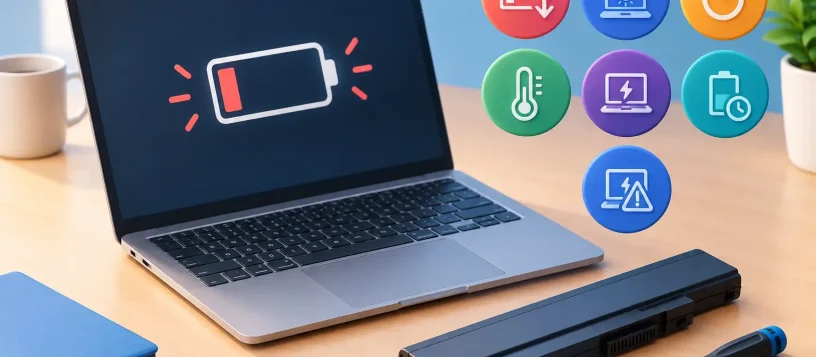
A laptop that used to last through work, school, or a full day at home may suddenly need its charger by lunchtime. Knowing when to replace a laptop battery can save you from unexpected shutdowns, lost work, and the inconvenience of being tied to an outlet. The right time is not always determined by the laptop’s age. Battery health, charging behavior, heat, and physical condition tell a much clearer story.
Most laptop batteries are designed to wear down gradually. That is normal. But once the battery can no longer provide dependable power, a replacement is often a practical and affordable way to extend the life of an otherwise capable device.
When to Replace a Laptop Battery
A laptop battery should be replaced when it is no longer reliable, safe, or useful for your daily routine. For some people, that means a battery that only lasts an hour. For a student or mobile professional, even two or three hours may not be enough if the laptop was originally built to run much longer.
Battery replacement makes the most sense when the computer still performs well, the screen and keyboard are in good condition, and the repair cost is reasonable compared with buying a new laptop. A newer battery can restore portability without requiring you to replace the entire machine.
1. Your battery life has dropped sharply
The most common sign is a noticeable loss of runtime. If your laptop once lasted six hours but now struggles to reach one or two, the battery cells have likely lost a significant amount of their original capacity.
A gradual decline over several years is expected. A sudden drop can also happen, especially after repeated overheating, frequent deep discharges, or a failing cell inside the battery pack. If you have to carry the charger everywhere, even for short appointments or classes, it is worth having the battery tested.
2. The laptop shuts down before it reaches 0 percent
A battery percentage reading is an estimate. As batteries age, that estimate can become inaccurate. Your laptop may show 30 percent remaining, then power off without warning. It may also jump from 60 percent to 15 percent in a few minutes.
This is more than an inconvenience. Unexpected shutdowns can interrupt video calls, damage unsaved files, and create problems when you are working on important documents. Recalibrating the battery can occasionally improve the reading, but it will not repair worn-out cells. If the issue continues, battery replacement is usually the dependable fix.
3. It charges slowly, stops charging, or will not hold a charge
Charging issues do not always mean the battery is the problem. A damaged charging cable, weak power adapter, dirty charging port, or motherboard fault can create similar symptoms. That is why a proper diagnosis matters before purchasing parts.
Still, a battery that charges to 100 percent unusually fast and drains right away is often near the end of its service life. The same applies if it only works while connected to power. If removing the charger causes an immediate shutdown, the battery is no longer supporting the laptop as intended.
4. The battery is swollen or the laptop case is lifting
A swollen battery is a safety concern and should be addressed promptly. You may notice that the bottom cover no longer sits flat, the trackpad has become difficult to click, the keyboard looks raised, or there is a gap along the case.
Do not press the swollen area back into place, puncture the battery, or continue charging the laptop unnecessarily. Turn the device off if possible and arrange professional service. A damaged lithium-ion battery can put pressure on internal components and may create a fire risk if handled incorrectly.
5. Your laptop overheats during ordinary use
Laptops can run warm during gaming, video editing, large downloads, or heavy multitasking. But excessive heat while browsing, writing emails, or attending a video meeting deserves attention. Heat speeds up battery wear, and a failing battery can sometimes contribute to heat-related behavior.
The cause could also be blocked vents, dust buildup, dried thermal paste, or a fan issue. A technician can check the whole system instead of replacing a battery based on guesswork. This is especially useful for older laptops, where more than one maintenance issue may be affecting performance.
6. You see a battery service warning
Windows and macOS can report battery health concerns. On many Windows laptops, a battery report can compare the original design capacity with the current full-charge capacity. On MacBooks, the battery status may show a service recommendation when the battery has reached a poor condition.
A battery that has fallen well below its original capacity may still turn on, but it may no longer be dependable away from an outlet. Cycle count also matters. Every full charge cycle adds wear, although heat, charging habits, and battery age matter just as much. A warning is a good reason to schedule a diagnostic, not a reason to panic.
7. The battery is several years old and your routine has changed
Age alone is not a perfect replacement rule. Some batteries last longer than expected, while others wear out faster because of heat or heavy use. Still, many laptop batteries show meaningful decline after two to five years.
If you are now commuting, taking classes, working from client sites, or relying on your laptop during travel, a weak battery can become a real productivity problem. Replacing it before it fails completely gives you more control over timing and avoids an emergency repair during a busy week.
Battery Problem or Something Else?
Before deciding on a replacement, rule out a few common issues. A failing charger can prevent proper charging. A loose or damaged charging port can cause intermittent power. Background apps, malware, outdated software, and a dim display setting can also affect battery life, even when the battery itself is healthy.
Try using the laptop with unnecessary startup programs closed and screen brightness reduced. Check whether the charger becomes unusually hot or only works at a certain angle. If the device is still draining quickly, shutting down unexpectedly, or reporting poor battery health, professional testing can identify the actual cause.
This step matters because laptop batteries are not all interchangeable. Internal batteries require the correct part, careful disassembly, and safe installation. Choosing a low-quality or incompatible replacement may lead to poor runtime, charging errors, or additional damage.
Is It Better to Replace the Battery or Buy a New Laptop?
If your laptop is reasonably fast, supports the software you use, and has no major hardware failures, replacing the battery is often the smart choice. It can add useful life to a laptop that is otherwise meeting your needs, with far less cost and disruption than replacing the entire device.
Buying a new laptop may make more sense if the computer is very slow, cannot run current software, has repeated motherboard issues, or needs several costly repairs at once. A cracked screen, failing keyboard, weak battery, and storage problem together can change the calculation. The best decision depends on the overall condition of the device, not the battery alone.
For business users, downtime matters too. A battery replacement may be the quicker option when a familiar workstation is already configured with required programs, files, and settings. Before any repair, make sure important data is backed up. Battery work should not affect stored files, but backups are always good protection.
What to Expect From Professional Battery Replacement
A proper laptop battery replacement starts with confirming the fault. The technician should check charging behavior, battery condition, adapter output, heat, and physical signs of damage. This helps avoid replacing a battery when the real issue is the charger, power port, or internal power circuit.
Once the correct battery is identified, the old battery is removed safely and the replacement is installed and tested. The laptop should be checked for stable charging, normal power behavior, and proper fit of the case. For built-in batteries, careful handling is especially important because they sit close to delicate internal components.
At Vaughan Computers, a clear diagnosis and upfront repair advice can help you decide whether a battery replacement is worthwhile for your laptop. The goal is simple: get you back to dependable work, school, and everyday use without paying for repairs you do not need.
Do not wait for a weak battery to turn into a missed deadline or an unsafe swollen-battery situation. If your laptop is losing power faster than it should, a quick assessment can give you a clear answer and a practical path forward.