







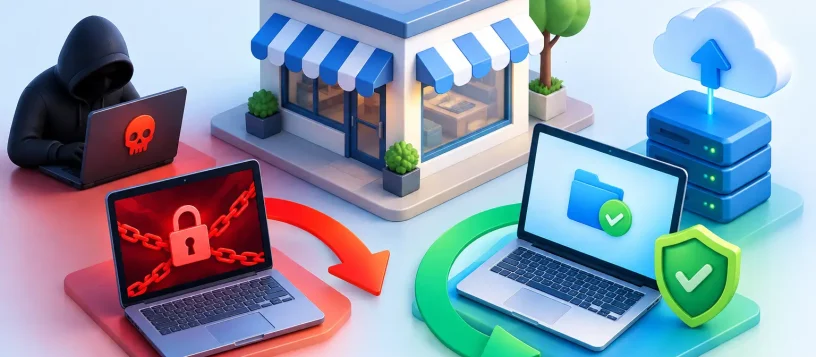
At 8:12 on a Monday morning, a six-person office discovers that shared folders, accounting records, and customer documents will not open. Each file has a new extension, and a ransom message demands payment in cryptocurrency. This small business ransomware recovery example shows why the first hour matters more than any promise in the ransom note.
The company in this scenario is a typical local business: a small team, a shared server, cloud email, several laptops, and years of customer files. They do not have a full-time IT department. What they do have is a recent backup, a support contact, and employees who report the problem quickly instead of trying random fixes.
That combination does not make ransomware harmless. It does give the business a realistic path to recover without turning a bad morning into weeks of lost work.
A Small Business Ransomware Recovery Example
The issue begins with an employee opening a convincing email attachment that appears to be an overdue invoice. The attachment installs malicious software, which uses the employee’s access to reach shared folders. By the time anyone notices, the ransomware has encrypted files on the office server and two connected workstations.
The owner’s first instinct is to click the ransom note and find out how much it will cost. Instead, the office manager disconnects affected computers from the network. Ethernet cables are removed, Wi-Fi is turned off, and the shared drive is taken offline. They do not reconnect devices to test whether files will open. They also do not plug in their external backup drive.
That decision contains the damage. Ransomware can continue spreading when an infected device stays connected, and it can encrypt backups that are visible on the same network. Isolating systems does not remove the infection, but it buys time for a proper assessment.
The business then contacts its IT support provider and cyber insurance carrier. The technician records the ransom message, affected file extensions, login activity, and the time the issue was found. This information can help identify the ransomware strain, determine how far it traveled, and support an insurance or legal response if customer information may be involved.
Finding the last clean backup
The most valuable asset in this case is not the server. It is the backup history.
The business uses a backup system that keeps daily versions off the main network. The technician checks those backups carefully before restoring anything. A backup made after the infection started may contain encrypted files or malicious software, so choosing the newest backup is not always the right move.
After reviewing timestamps and sample files, the technician finds a clean backup from late Friday evening. The business will lose some work completed Monday morning, but its core data is intact. That is a manageable loss compared with losing years of files or paying for a decryption key that may never arrive.
This is where recovery plans differ. A company with versioned cloud backups and offline copies may restore relatively quickly. A company whose only backup is a USB drive left connected to the server may find that the backup was encrypted too. Cloud storage can help, but sync folders are not automatically safe backups. If ransomware encrypts a synced folder, the encrypted version can sync to the cloud as well unless version history and recovery settings are available.
Rebuilding before restoring
A common mistake is restoring files onto the same infected computers. That can put the business right back where it started.
In this example, the technician wipes the affected workstations and rebuilds them with clean operating system installations. The server is checked for signs of compromise, and accounts with access to shared data have their passwords reset. Multi-factor authentication is enabled for email, cloud storage, remote access, and administrator accounts where available.
The team also reviews who has access to what. The receptionist does not need administrator rights. A staff member who only needs to view customer files does not need permission to change backup settings. Limiting access will not stop every attack, but it reduces what one stolen password can do.
Only after the environment is cleaned and accounts are secured does the technician restore the Friday backup. First come essential business systems: accounting records, customer documents, scheduling software, and shared folders. Less urgent files can follow once staff are working again.
The office is operating in a limited capacity by the next business day. Within two days, its files, workstations, and shared systems are back in service. A few recent documents must be recreated, but the company avoids paying the ransom and avoids a prolonged shutdown.
What This Ransomware Recovery Example Teaches
The recovery worked because the business had three practical safeguards: backups separated from the main network, quick isolation of infected equipment, and experienced support available when decisions had to be made fast.
Paying a ransom is a business decision with serious uncertainty. Even if criminals provide a decryption tool, it may be slow, incomplete, or unsafe to use. Payment can also make a business a target again. Law enforcement, insurance, legal, and IT professionals may need to be involved depending on the type of data affected and the company’s obligations. There is no single answer that fits every incident, but payment should never be the first recovery plan.
The same is true of data recovery. In some cases, files can be restored from backups, recovered from an unaffected device, or retrieved through cloud version history. In other cases, encrypted data cannot be recovered without a valid key. A technician should assess the situation before anyone deletes files, reformats a system, or follows instructions from the attackers.
The first actions to take after ransomware
When ransomware is suspected, speed and restraint matter. Disconnect affected computers from Wi-Fi and wired networks, but do not start deleting files or reinstalling programs. Keep backup drives disconnected. Take a photo of the ransom message, note the time, and write down which devices and folders are affected.
Next, contact qualified IT support and, when applicable, your cyber insurance provider. If customer, employee, payment, health, or other sensitive information may be involved, get advice on notification and reporting requirements before making public statements. Clear communication protects customers and prevents employees from spreading inaccurate information.
Avoid using the infected computer for email, online banking, password changes, or regular work. Use a known-clean device instead. The attacker may have captured passwords, browser sessions, or other information beyond the files they encrypted.
Build a Recovery Plan Before You Need One
Small businesses do not need enterprise-level complexity to improve their chances of recovery. They need a plan that is tested, understood, and maintained.
Start with backups that follow the 3-2-1 idea: keep at least three copies of important data, on two different types of storage, with one copy kept offsite or otherwise isolated. For many businesses, that means a local backup for quick restores plus a protected cloud backup with version history. The best setup depends on how much data you have, how often it changes, and how long your business can operate without it.
Test restoration regularly. A backup that looks successful is not useful if it cannot restore the files, databases, or software your team actually needs. Choose a sample folder or workstation and practice recovering it. Record the steps, access details, vendor contacts, and the order in which critical systems should be restored.
Staff training also matters. Employees should know how to spot unexpected attachments, fake login pages, urgent payment requests, and messages that pressure them to act quickly. Training is not about blaming people for mistakes. It gives them permission to pause and ask before one click becomes a business interruption.
For local offices that need help with malware removal, backup planning, workstation recovery, or network security, Vaughan Computers can provide practical support without burying the problem in technical language. The goal is simple: get your team working again safely and reduce the chance of the same disruption happening twice.
A ransomware incident is stressful because it threatens the files, devices, and customer trust your business depends on. A clean backup, a clear response plan, and fast professional help can turn that pressure into a controlled recovery instead of an open-ended crisis.