







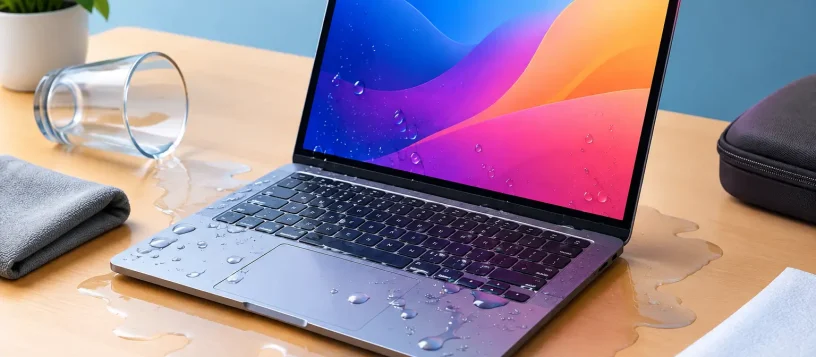
A spilled coffee beside your MacBook can turn into a serious problem in seconds. MacBook water damage is not always obvious right away: the laptop may appear to work after a spill, then fail later as moisture causes corrosion on the keyboard, battery, charging circuit, or logic board. The first few minutes matter, but the right next step matters even more.
For Vaughan, Woodbridge, Maple, Kleinburg, and Nobleton residents, fast local help can make the difference between a cleanable device and a costly board-level repair. Here is what to do, what to avoid, and when to bring your MacBook in for professional liquid damage service.
What to Do Immediately After a Spill
The priority is simple: stop electricity from moving through a wet device. Do not keep typing to see whether every key still works, and do not plug the charger in to test it. Liquid and electrical current are a bad combination, even when the spill was small.
First, disconnect the charging cable and every accessory. Shut the MacBook down immediately by holding the power button if it does not turn off normally. If the laptop is already off, leave it off. Resist the temptation to restart it after a few minutes.
Next, gently blot visible liquid from the exterior using a soft, lint-free cloth. Open the lid and position the computer so liquid can drain away from the keyboard rather than further into the display or internal components. Avoid shaking it. Shaking can move moisture into areas that were not initially exposed.
If the spill involved soda, juice, wine, coffee with milk or sugar, or another sticky liquid, professional cleaning is especially urgent. These liquids leave residue behind. Even after the moisture evaporates, that residue can corrode components and create shorts later.
What Not to Do With MacBook Water Damage
Many well-meaning home remedies can make MacBook water damage worse. Rice is the most common example. It does not remove contamination from inside the laptop, does not clean corrosion, and can leave dust or starch particles near ports and vents. A MacBook needs proper internal inspection, not a bowl of pantry rice.
Do not use a hair dryer, place the device on a radiator, or put it in an oven. High heat can damage the battery, display, adhesives, keyboard layers, and delicate internal connectors. Compressed air is also risky because it can force liquid deeper into the keyboard or logic board.
It is also best not to open the MacBook yourself unless you have the correct tools and experience. Modern MacBooks are compact, tightly assembled devices. A damaged screw, torn flex cable, or improperly disconnected battery can add another repair to the original problem.
The safest approach is to keep the MacBook powered off and have it assessed as soon as possible. Time matters because corrosion does not wait for a convenient moment.
Why a MacBook Can Fail Days After a Spill
A laptop that turns on after a spill is not necessarily safe to use. Water may dry from the surface while moisture remains under shields, near connectors, and around chips on the logic board. As that moisture reacts with electricity and minerals from the spill, corrosion can begin.
This is why customers sometimes report that their MacBook worked for a day or two before the keyboard stopped responding, the battery would not charge, or the device would no longer power on. In other cases, the screen flickers, the trackpad behaves unpredictably, fans run loudly, or the MacBook repeatedly restarts.
The extent of the damage depends on several factors: what was spilled, how much entered the device, where it entered, whether the MacBook was powered on, and how quickly it was shut down. Plain water can still cause damage. Sugary or acidic drinks can be more damaging because they leave conductive, corrosive residue.
What Professional Liquid Damage Repair Involves
Liquid damage repair should begin with a proper diagnosis, not a quick guess. A technician needs to inspect the internal components, identify signs of moisture or corrosion, and determine whether the issue is limited to a keyboard, battery, charging port, or a more complex logic board circuit.
At Vaughan Computers, the process starts with a free diagnosis and an upfront quote, so you can understand the condition of your MacBook before approving repair work. Certified technicians can safely open the device, disconnect the battery, inspect the affected areas, and clean residue using methods designed for sensitive electronics.
The repair may involve internal cleaning, replacement of a damaged keyboard or trackpad assembly, battery replacement, charging repair, or motherboard-level work. The right solution depends on the model and the path the liquid took inside the device. A small spill near the front edge may affect the keyboard first, while liquid near a side port or rear vent can reach other critical components.
Same-day service may be possible for some liquid damage issues when replacement parts are available and the damage is limited. More severe corrosion or data recovery work can take longer. A trustworthy repair shop should be clear about that trade-off rather than promising a turnaround that does not match the condition of the MacBook.
Your Data May Still Be Recoverable
For many people, the MacBook itself is valuable, but the files on it are irreplaceable. Work documents, family photos, invoices, school projects, and business records can all be at risk after a liquid spill.
Do not repeatedly power on a wet MacBook to check whether your files are still there. Every attempt can increase the chance of further board damage. A technician can assess whether the storage is accessible and recommend the safest path for data recovery or backup.
Data recovery can be straightforward when the storage and logic board still communicate normally. It becomes more complex when liquid has damaged power circuits or storage-related components. Newer MacBook models may have storage integrated with the logic board, which makes professional handling particularly important. Quick action gives you the best chance of protecting both the device and the information stored on it.
Repair or Replace: How to Make the Right Call
Not every water-damaged MacBook should receive the same repair. The best decision depends on the MacBook’s age, model, overall condition, repair cost, and the value of the data inside it.
A newer MacBook with a damaged keyboard, battery, or charging component is often worth repairing, especially if the logic board is in good condition. A model with widespread corrosion, multiple failing parts, or an expensive board-level issue may require a more careful cost comparison. In that situation, the practical choice may be data recovery and replacement rather than a full restoration.
An upfront diagnosis helps remove the uncertainty. You should know what failed, what repair is recommended, what it will cost, and whether there is a realistic alternative. No one wants to put money into a repair without understanding the likely outcome.
Preventing the Next Spill
Accidents happen, especially when a MacBook is part of a busy kitchen table, home office, classroom, or small business workspace. A few small habits can reduce the risk. Keep drinks on a separate surface when possible, use a spill-resistant bottle instead of an open cup, and avoid leaving the laptop on the floor where it can be knocked over.
A keyboard cover can help with small surface splashes, but it is not a guarantee against liquid entering the device. More importantly, keep current backups. Automatic cloud backup and a separate external backup give you options if a device fails unexpectedly. Backups do not prevent water damage, but they turn a stressful repair situation into a manageable one.
If liquid touches your MacBook, power it off, do not charge it, and get it checked before a small spill becomes a larger repair. Fast, informed action protects your laptop, your budget, and the files you rely on every day.