







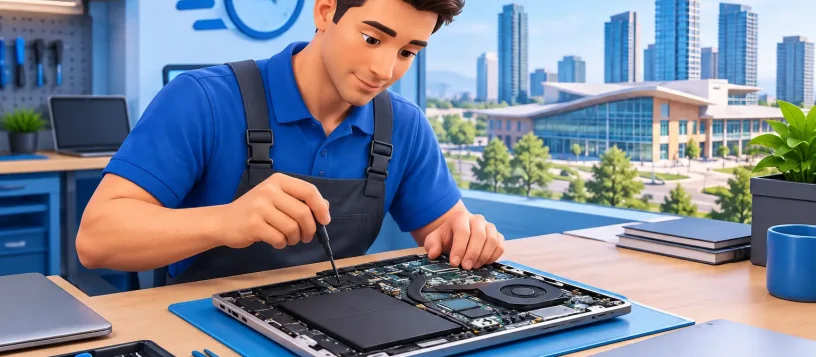
A frozen laptop before a presentation, a desktop that will not start, or a suspicious pop-up on a family computer can stop a normal day quickly. This same day computer repair review explains what fast service should actually look like for Vaughan residents and local businesses – and how to tell the difference between a quick fix and a repair you can depend on.
Same-day service is not simply about getting a device back within a few hours. It is about receiving a clear diagnosis, an honest quote, qualified work, and enough testing to feel confident when you turn the computer back on at home or at the office. The right repair shop respects the urgency without treating quality as optional.
What a Same Day Computer Repair Review Should Measure
A useful review of same-day repair starts with the repair process, not a promise on a sign. Some problems can be resolved the day you bring in the device. Others need ordered parts, extended testing, or data-recovery work that should never be rushed. A dependable technician explains which situation you are facing before work begins.
For common issues, same-day repair is often realistic. Slow performance caused by too many startup programs, malware infections, software errors, failing laptop batteries, damaged charging ports, keyboard problems, and storage upgrades can frequently be assessed and repaired quickly. A computer that needs a full motherboard replacement, has severe liquid damage, or holds a failing drive with critical files may require more time. That is not poor service. It is the technician protecting your device and your data.
The best experience starts with a free or clearly explained diagnostic assessment. You should know what is wrong, what the repair is expected to cost, and whether repairing the computer makes more sense than replacing it. There should be no pressure to approve work you do not understand.
Speed Matters, but Diagnosis Comes First
When a laptop will not boot, it is tempting to ask for the fastest possible answer. But several different problems can create the same symptom. A bad charger, damaged battery, failed SSD, corrupted operating system, overheating issue, or motherboard fault can all make a computer appear dead.
A proper diagnosis separates the symptom from the cause. That matters because a low-cost temporary fix can become expensive if the underlying issue is missed. For example, reinstalling software may make a machine work briefly, but it will not solve an SSD that is beginning to fail. Replacing a battery will not correct a charging circuit problem.
For local small businesses, this step is especially important. A workstation that keeps disconnecting may not have a computer problem at all. It could be a Wi-Fi coverage issue, an aging router, a network configuration error, or a security concern. Fast IT support means identifying the right problem so staff can return to work without repeated interruptions.
Clear Timing Is Part of Good Service
A same-day claim should come with realistic communication. Ask whether the diagnosis, repair, and final testing are all expected to happen that day. If a part is needed, ask whether it is in stock and when the device can be collected.
A trustworthy repair provider will not promise a same-day result before inspecting the device. Instead, they will give you a practical timeline after diagnosis and contact you if anything changes. That honesty is valuable when your computer is needed for school, work, online banking, or family communication.
What You Should Expect From a Repair Quote
A repair quote should be straightforward. It should explain the issue in plain language, identify the proposed repair, and show the expected cost before the technician proceeds. If there are choices, such as replacing an older hard drive with a faster SSD or choosing between repair and replacement, those options should be explained without jargon.
Price alone does not tell the full story. The lowest quote may exclude parts quality, testing, warranty support, or the time needed to protect your files. On the other hand, an expensive quote without a clear explanation is not automatically better. Look for a provider that combines fair pricing with transparency.
A no-fix-no-fee policy can also reduce the risk of seeking help. It gives customers confidence that they will not be charged simply because a problem proved uneconomical or impossible to repair. For devices with extensive physical damage or serious board-level faults, that assurance matters.
Data Protection Is a Key Part of Any Review
For many customers, the computer itself is replaceable. The photos, documents, tax records, work files, and saved projects are not. Any same day computer repair review should consider how the provider handles data before approving a repair.
If the computer still starts, back up important files before bringing it in whenever possible. If it does not start, tell the technician that the data is important before work begins. This changes the repair approach. A technician may need to test the drive carefully, create a backup, or recommend recovery rather than reinstalling the operating system.
Be cautious with any service that immediately recommends wiping a computer without discussing your files. A clean operating system installation can be the right answer for malware or severe software corruption, but it should be an informed decision. You should know whether your files can be preserved and whether a backup service is available.
For business customers, prevention is often as valuable as repair. Regular backups, malware protection, secure Wi-Fi, and reliable network equipment help prevent the next urgent call. The strongest local support providers can repair a problem today while helping reduce downtime tomorrow.
Parts, Testing, and Repair Quality
Fast repair should not mean shortcuts. Replacement parts need to be compatible with the device, and the technician should test the computer after the repair. On a laptop, that may include checking charging, battery behavior, keyboard input, Wi-Fi, audio, display output, ports, camera, and sleep mode. For a desktop, testing may include startup stability, storage health, temperatures, and network connectivity.
The details vary by repair. A screen replacement is not complete until the display, touch functions where applicable, brightness controls, and surrounding frame are checked. A malware cleanup is not complete until the system is scanned, updated, and running normally again. A slow computer should be tested after the recommended upgrade or cleanup so the improvement is visible.
Certified technicians and quality parts matter because they reduce repeat problems. Still, there are trade-offs. Repairing an older computer can be worthwhile when it only needs a battery, memory upgrade, SSD, or software cleanup. It may be less practical when multiple major components are failing and the repair cost approaches the value of a newer device. A good technician will say so clearly.
Same-Day Repair for Homes and Small Businesses
Home users often need help with one essential device. Students may need a laptop before an assignment deadline, parents may need access to photos and accounts, and professionals may need a reliable computer for remote work. Convenience includes weekend availability, approachable explanations, and a repair process that does not add more stress.
Small businesses have different stakes. One failed computer can delay customer service, invoicing, scheduling, or access to shared files. In these situations, on-site or remote support may be the right choice, especially when multiple workstations, printers, networks, or security systems are involved.
Vaughan Computers serves customers across Vaughan, Woodbridge, Maple, Kleinburg, and Nobleton with device repair and practical IT support designed around those real-world needs. From a damaged laptop to a network issue affecting an office, the goal should remain the same: restore dependable service with a clear plan and fair expectations.
Questions Worth Asking Before You Approve the Repair
Before leaving your device, ask a few direct questions. Can this likely be completed today? Is the diagnosis free? What will the total repair cost be if I approve it? Will my files be protected? What happens if the repair does not solve the issue?
Also ask what testing will be completed before pickup and whether there is support if the same issue returns. These questions are not difficult or confrontational. They help establish the expectations that make a repair experience feel dependable.
The right same-day repair service gives you more than a faster computer. It gives you a clear answer, a practical path forward, and the confidence to get back to the work and life waiting on the other side of the screen.