







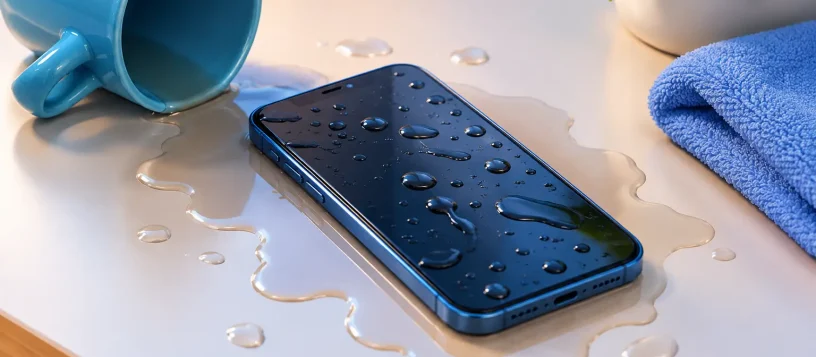
A phone dropped in a sink, splashed by coffee, or caught in the rain can create instant panic. Can liquid damaged phones work after a spill? Often, yes – but the outcome depends less on luck than on what happens in the first few minutes and whether corrosion has already reached critical components.
A phone may appear completely normal right after liquid exposure, then start charging slowly, losing signal, overheating, or shutting down days later. That delay is why liquid damage should be treated seriously, even when the screen lights up and the phone seems fine.
What Liquid Damage Does Inside a Phone
Water itself is not always the only problem. Tap water, coffee, soda, juice, saltwater, and other liquids carry minerals, sugar, or acids that can leave conductive residue behind. Once that residue reaches the charging port, battery connector, display connections, or motherboard, it can cause short circuits and corrosion.
Modern iPhones, Samsung phones, and other smartphones may have water-resistance ratings, but water-resistant does not mean waterproof. Seals weaken over time from drops, heat, previous repairs, and normal wear. A brief splash may cause no lasting issue, while a small amount of liquid entering through a damaged seal can affect essential parts.
The longer a powered-on phone remains wet inside, the greater the risk. Electricity moving through moisture and residue can damage microscopic circuits that control charging, cameras, speakers, touch response, and data storage.
Can Liquid Damaged Phones Work Normally Again?
Many liquid damaged phones can work again, especially when they are powered off quickly and professionally cleaned before corrosion spreads. Some devices need only a thorough internal cleaning and testing. Others may require a new battery, charging port, screen, camera, speaker, or motherboard-level repair.
The answer depends on several practical factors: what liquid entered the phone, how long it was exposed, whether it was charging, and how quickly it was handled. Plain water is usually less damaging than a sugary drink or saltwater, but any liquid can create problems if it reaches internal connections.
A phone that still turns on is a positive sign, not a guarantee. It may function for a few hours or days while corrosion continues underneath shields and connectors. Having the device inspected early gives you a better chance of preventing a small issue from becoming a major repair or permanent data loss.
What to Do Immediately After a Spill
Your first goal is to stop power from moving through the device. If the phone is on, turn it off. Do not test the screen repeatedly, open apps, plug it in, or press buttons to see whether everything works. Every attempt to use or charge the phone can increase the chance of a short circuit.
Remove the case, wipe the outside with a soft, lint-free cloth, and take out the SIM card if your phone has a removable tray. Keep the charging port facing down while you gently dry the exterior, so liquid has a chance to drain rather than move deeper into the phone.
Then bring it in for professional diagnosis as soon as possible. Fast service matters with liquid damage because technicians can open the device, disconnect the battery, inspect liquid indicators, remove residue, and test the affected components safely.
Do Not Use Rice, Heat, or a Charger
Rice is one of the most common responses to a wet phone, but it is not a reliable repair method. It cannot remove mineral residue or clean corrosion from the inside of a device. Rice dust can also enter charging ports and speaker openings, creating another issue to deal with later.
Avoid hair dryers, ovens, heaters, and direct sunlight. High heat can damage screens, battery cells, adhesives, seals, and delicate internal components. It can also push moisture farther into the phone before it evaporates.
Most importantly, do not charge a phone that may still have moisture inside. If you see a liquid-detection alert, moisture warning, flickering display, or unusual heat, leave the charger unplugged. Charging a wet device is one of the fastest ways to turn recoverable damage into a failed charging circuit or motherboard problem.
Warning Signs That Need Repair
Some symptoms appear immediately, while others develop gradually. A professional inspection is recommended if your phone has been exposed to liquid and you notice any of the following:
- It will not turn on, restart, or hold a charge.
- The screen flickers, shows lines, dark spots, or touch issues.
- The charging port is inconsistent or displays a moisture warning.
- Speakers sound muffled, microphones stop working, or cameras fog up.
- The phone overheats, loses signal, or drains its battery unusually fast.
- Face ID, fingerprint recognition, buttons, or wireless charging no longer work.
These signs do not always mean the phone is beyond repair. They do mean that moisture or corrosion may be affecting a specific part, and continued use can make the damage worse.
Why Professional Cleaning Makes a Difference
Liquid damage repair is more than leaving a phone to dry. A proper repair process begins with a full assessment of the device and its exposure. The phone is opened carefully, the battery is disconnected, and internal components are inspected for moisture, residue, and corrosion.
Depending on the model and damage, a technician may clean affected areas, test power and charging circuits, inspect connectors, and identify failed components. This helps distinguish between a phone that needs cleaning and one that needs a replacement part or advanced board-level repair.
For customers who depend on their phone for work, school, family communication, banking, or two-factor authentication, the goal is not simply getting the screen to turn on. It is restoring dependable use and protecting the data stored on the device whenever possible.
Is Repair Worth It?
Whether repair is worthwhile depends on the phone’s age, model, condition, and the extent of internal damage. Repair is often a practical choice for newer phones, devices with valuable photos or business data, and phones where the issue is limited to a charging port, battery, screen, or other replaceable part.
If corrosion has severely damaged the motherboard or the repair cost approaches the value of a replacement phone, replacing the device may make more sense. An upfront diagnosis gives you clear information before you decide. That is far better than spending money on temporary fixes or risking further damage by continuing to use an unstable phone.
For small business owners, there is another consideration: downtime. A damaged phone can interrupt customer calls, email access, mobile payments, field work, and account verification. Quick diagnosis and straightforward repair options can help keep that interruption as short as possible.
Protect Your Data Before the Next Accident
The best time to prepare for liquid damage is before it happens. Automatic cloud backups, regular computer backups, and current account recovery details can make a stressful accident far easier to manage. If a phone is still operating after a spill, do not delay a backup just to keep using it, but only do so if the device is dry, stable, and not showing a moisture warning or overheating.
Waterproof cases and port covers can add protection for active lifestyles, job sites, kitchens, and travel. Still, they are not a substitute for care around pools, sinks, drinks, and bathrooms. Even a highly rated phone can be damaged by pressure, saltwater, or a worn-out seal.
When a spill happens, act quickly, keep the phone powered off, and avoid home remedies that can make matters worse. A timely professional inspection can be the difference between a cleaned, working phone and a much more expensive problem. Vaughan Computers can assess liquid-damaged devices, explain the repair options clearly, and help you make a practical decision with no guesswork.