







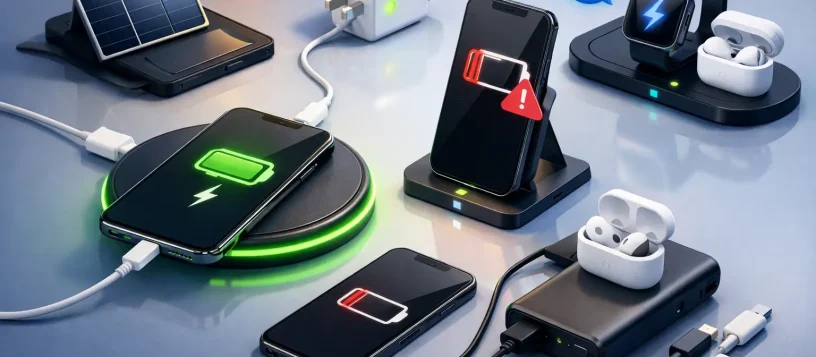
A phone that will not charge can bring work, family plans, banking, school, and daily communication to a stop. The best solutions for phone charging problems start with a few safe checks, but they also mean recognizing when a damaged port, battery, cable, or internal component needs professional attention.
A charger issue is not always a charger issue. Many people replace cables repeatedly when the real problem is lint packed inside the charging port, a weak battery, moisture damage, or a loose connection on the phone’s charging board. A clear diagnosis prevents wasted money and gets your device back in service faster.
Best Solutions for Phone Charging Problems at Home
Before assuming your phone needs a repair, test the simple causes first. These checks take only a few minutes and can rule out the accessories and power source around your device.
Start with a different wall outlet, charging cable, and power adapter. Use a quality cable that is designed for your phone’s charging standard. A damaged cable may still look normal from the outside, yet have broken wires near the connector. If your phone charges with one cable but not another, the phone itself is likely not the issue.
Next, remove the phone case and check whether the connector seats fully in the port. Thick cases, bent connector tips, and debris can stop a cable from making a complete connection. If the phone charges only when the cable is held at a particular angle, do not keep forcing it. That usually points to a worn cable, debris in the port, or a loose internal charging port.
Restart the phone after connecting it to a known-good charger. A frozen app or software error can sometimes make a phone appear unresponsive even when it is receiving power. If the battery is completely drained, leave it connected for at least 20 to 30 minutes before deciding it will not turn on.
Clean the charging port carefully
Pocket lint is one of the most common reasons a phone will not charge reliably. Over time, fabric fibers and dust become compressed at the bottom of the port. The cable then feels connected, but its pins cannot reach the contacts properly.
Turn the phone off first. Use a flashlight to inspect the port, then gently remove loose debris with a dry, nonmetal tool such as a plastic pick or soft brush. Do not use a pin, paper clip, knife, or anything that can scratch or bend the contacts. Never spray liquid, compressed air, or cleaner into the port. Those shortcuts can push debris deeper, introduce moisture, or cause costly damage.
If you cannot see clearly into the port or the debris feels tightly packed, stop there. A technician can clean it safely and determine whether dirt is the only issue.
When the Cable or Adapter Is the Problem
Charging accessories wear out faster than most people expect. Cables bend near the ends, adapters overheat, and low-quality replacements may not provide stable power. A cable that intermittently connects, feels loose at the tip, gets hot, or has exposed material should be replaced immediately.
For iPhone users, uncertified Lightning accessories can trigger compatibility messages or charge inconsistently. For USB-C phones, the adapter matters as much as the cable. A basic low-watt adapter may charge a modern Samsung, Google, or other Android phone very slowly, while an incompatible fast charger may fail to deliver the expected charging speed.
Try a trusted cable and adapter separately rather than replacing both at once. This makes it easier to identify the failed item. Also inspect the power brick for discoloration, a burnt smell, or unusual heat. If any of those signs are present, do not continue using it.
Wireless charging can help narrow down the cause. If a phone charges on a wireless pad but not through its port, the battery may be fine and the port may need cleaning or repair. However, wireless charging is not a permanent workaround for a damaged port. It is slower in many cases, creates additional heat, and will not help if the battery or internal power system is failing.
Signs Your Phone Battery Needs Replacement
A phone can show a charging symbol and still have a battery problem. Lithium-ion batteries lose capacity as they age, especially after years of daily charging, heat exposure, or heavy use. Eventually, the battery may no longer hold enough power to keep the phone running.
Common warning signs include a battery that drains unusually fast, sudden shutdowns at 20% or 30%, excessive heat while charging, a phone that stays at the same percentage for a long time, or a battery percentage that jumps up and down. If the phone only works while plugged in, a failing battery is a strong possibility.
Battery health can sometimes be checked in the phone settings, but that number is only one part of the diagnosis. A phone may report acceptable battery health while still having charging issues caused by the port, cable, software, or charging circuit.
Do not ignore a swollen battery. A screen lifting away from the frame, a bulging back cover, or an unusually warm device can indicate battery swelling. Stop charging the phone, avoid pressing on it, and arrange for professional service right away. A swollen battery is a safety issue, not a do-it-yourself repair.
Charging Port Damage Requires More Than a New Charger
Charging ports are used every day, so they can wear down, loosen, corrode, or break after a drop. Damage is especially likely if a cable was pulled sideways, the phone fell while plugged in, or moisture entered the port.
A damaged port may cause slow charging, repeated connect-and-disconnect sounds, no response when a cable is inserted, or charging only at a specific angle. In some phones, the charging port is a replaceable component. In others, it is connected more closely to the main board and requires careful microsoldering-level work.
This is where an accurate diagnosis matters. Replacing a port when the actual issue is the battery or charging circuit adds unnecessary cost. On the other hand, continuing to force a cable into a loose port can damage the internal contacts further. A qualified technician can inspect the port, test charging current, and provide an upfront recommendation before repair begins.
Moisture, Overheating, and Software Issues
If your phone displays a moisture warning, do not bypass it by using heat, rice, or repeated charging attempts. Disconnect the charger and let the device dry in a well-ventilated area. Avoid hair dryers, ovens, and direct heat, which can damage seals, screens, and batteries. If the warning remains or the phone was exposed to significant liquid, professional liquid-damage diagnostics are the safer choice.
Overheating can also pause or slow charging. Remove the case, move the phone out of direct sunlight, close demanding apps, and let it return to room temperature before charging again. Gaming, navigation, video calls, and fast charging naturally create heat, so slower charging during heavy use is not always a defect.
Software is less often the cause, but it can contribute. Install available system updates, check for apps using excessive battery power, and restart the phone. If charging began failing after an update or after installing a particular app, a technician can help separate a software issue from a hardware fault without risking your data.
When to Bring Your Phone in for Repair
Home troubleshooting is useful when the problem is clearly a dirty port, weak cable, or unreliable outlet. It is time for repair when the phone will not charge with known-good accessories, charges only at an angle, gets unusually hot, has been dropped or exposed to water, or has a swollen battery.
For residents and small businesses in Vaughan, Woodbridge, Maple, Kleinburg, and Nobleton, Vaughan Computers can diagnose phone charging problems, explain the likely repair before work starts, and help you avoid replacing a device when a practical repair is available. Certified technicians can assess iPhone, Samsung, and other mobile devices for battery, charging port, liquid-damage, and internal power issues.
A phone that stops charging does not have to mean a lost device or a costly surprise. Start with safe accessory and port checks, protect your phone from further damage, and get a professional diagnosis when the signs point beyond a simple cable replacement.