







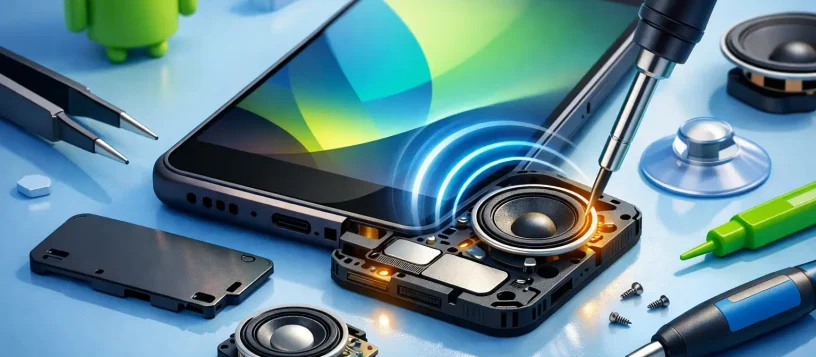
A phone that rings but cannot be heard is more than an inconvenience. Missed calls, quiet videos, unclear speakerphone conversations, and alarms you sleep through can disrupt work and home life quickly. Android phone speaker repair starts with finding out whether the problem is a simple setting, a blocked speaker grille, or damaged hardware that needs professional attention.
The good news is that a weak or silent speaker does not automatically mean you need a new phone. Many Android sound problems have a clear cause, and the right diagnosis can prevent unnecessary replacement costs. For residents and small businesses in Vaughan, Woodbridge, Maple, Kleinburg, and Nobleton, a local repair assessment can provide a straightforward answer before the issue gets worse.
What Android Phone Speaker Repair Can Fix
Your Android phone may have more than one speaker. The bottom loudspeaker handles ringtones, music, videos, and speakerphone calls. The small earpiece speaker at the top is used during regular phone calls. Some models also use additional speakers for stereo sound. Knowing which sound is missing helps narrow down the repair.
If music and ringtone volume are low or nonexistent, the main loudspeaker may be obstructed, worn out, disconnected, or damaged by liquid. If you can only hear callers when using speakerphone, the earpiece speaker may be the issue instead. A phone that produces distorted, crackling sound can have a damaged speaker diaphragm, contamination in the grille, or a board-level issue affecting audio output.
A repair technician checks more than the speaker itself. Volume controls, Bluetooth connections, software settings, charging-port assemblies, flex cables, microphones, and internal connectors can all affect sound. This matters because replacing a speaker will not solve a problem caused by software, corrosion, or a loose connection.
Start With These Safe Checks
Before arranging a repair, take a few minutes to rule out common causes. Check the volume while playing a video or ringtone, since Android devices use separate volume levels for media, calls, alarms, and notifications. Make sure Do Not Disturb is not limiting alerts.
Next, turn Bluetooth off temporarily. Your phone may be sending audio to wireless earbuds, a car system, a smart speaker, or another device that connected automatically. If sound returns after Bluetooth is switched off, the phone speaker is likely working normally.
Remove the phone case and inspect the speaker openings with a bright light. Pocket lint, dust, makeup, and residue can build up in the tiny grille holes and reduce sound dramatically. Use a soft, dry brush and gentle strokes around the opening. Do not push pins, toothpicks, paper clips, or sharp tools into the speaker grille. They can puncture the speaker mesh or force debris farther inside.
Restart the phone and test it with a ringtone, a video, and a phone call. Testing more than one audio function is useful because it can reveal whether the issue affects all sound or only one feature. If you recently installed an app, updated the operating system, or changed accessibility settings before the sound problem began, a software conflict is possible.
Signs Your Phone Needs Professional Speaker Repair
A few symptoms point to an issue that should be diagnosed by a technician rather than handled at home. These include sound that remains muffled after cleaning, a speaker that works only at certain angles, crackling at higher volume, or audio that cuts in and out when the phone is moved.
Liquid exposure also deserves prompt attention. Even a small spill, rain exposure, or humid environment can leave corrosion behind the speaker grille or on internal connectors. The phone may appear fine at first, then develop weak sound, charging problems, microphone trouble, or random shutdowns days later. Turning the phone off and avoiding repeated charging can reduce the risk of further damage until it is inspected.
Physical impact is another common cause. A drop can loosen a connector, damage the loudspeaker module, or affect components on the charging board where the speaker is connected on many Android models. If the phone has a cracked screen, bent frame, or loose back cover along with audio trouble, the repair may involve more than a speaker replacement.
Why Accurate Diagnosis Matters
Android phones are built differently across Samsung, Google Pixel, Motorola, OnePlus, LG, and other brands. On one model, the speaker can be replaced as a separate module. On another, it is part of an assembly that requires careful disassembly around the battery, charging port, or back glass. Parts availability and repair time depend on the exact make and model.
That is why an upfront diagnosis is more useful than guessing. A technician can test the loudspeaker and earpiece, inspect for debris or liquid damage, check the charging-port board, and confirm whether software is involved. You get a clearer repair recommendation and quote instead of paying for a part that may not address the real issue.
For a phone with a minor blockage, cleaning may be all that is needed. For a failed loudspeaker module, replacement is often the practical option. If severe liquid damage has reached the motherboard, the repair decision may depend on the phone’s age, overall condition, and the value of the data stored on it. Honest advice should account for those trade-offs.
What Happens During Android Phone Speaker Repair
A professional repair begins with testing. The technician will normally verify sound through the loudspeaker, earpiece, headphones, Bluetooth, and microphone where appropriate. This helps separate a speaker failure from a broader audio or connectivity issue.
If hardware repair is needed, the device is opened using the correct tools for its design. The damaged speaker or related component is inspected and replaced if necessary, then the phone is reassembled and tested again. Quality control should include checking call audio, media playback, ringtone volume, charging, and microphone performance before the phone is returned.
Data is usually unaffected by a standard speaker repair, but it is still wise to back up your phone when possible. If the device has liquid damage or needs deeper board-level work, backup becomes even more important. A dependable repair shop should explain the condition of the device, expected turnaround time, and cost before proceeding.
Vaughan Computers provides practical diagnostics and repair support for Android devices, with clear quotes, certified technicians, and a no-fix-no-fee approach. Same-day service may be possible for common speaker issues when the required part is available, while water damage and complex faults can require more time for proper testing.
Avoid Making the Problem Worse
When a speaker becomes quiet, raising the volume to maximum will not repair it and may make distortion more noticeable. Repeatedly installing cleaner apps is rarely helpful either, especially if the issue is physical damage or debris. Be cautious with online repair videos that recommend blowing compressed air directly into the speaker, applying liquids, or opening the phone without the right tools.
Avoid charging a phone that may have water inside, and do not rely on rice to remove moisture from internal components. Rice does not clean corrosion or restore damaged connections. A quick professional inspection gives you a better chance of preventing a small audio problem from becoming a larger repair.
Get Back to Clear Calls and Reliable Alerts
Your phone should be loud enough to hear an important call, an incoming message, or an alarm without holding it against your ear. If basic checks do not restore the sound, bring it in for a proper diagnosis rather than living with unreliable audio. A targeted repair can restore the device you already depend on and help you avoid the cost and disruption of replacing it too soon.