







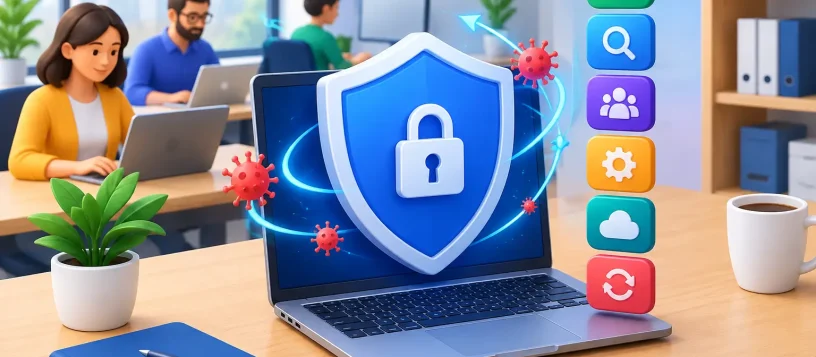
A single infected laptop can stop an office faster than a broken printer. Employees may lose access to customer files, accounting software, email, shared drives, and online banking in minutes. The best antivirus for small business is not simply the lowest-priced program or the one with the most familiar name. It is the protection your team will keep running, your devices can handle, and someone can manage when a security alert appears.
For a small office, retail shop, professional practice, or home-based business, the goal is straightforward: prevent avoidable downtime without adding another complicated system to the workday. The right choice combines strong malware protection, centralized management, practical support, and coverage that matches how your team actually works.
Why consumer antivirus is often not enough
A consumer antivirus subscription can be useful for a home computer, but a business has different risks. Staff may open invoices, exchange files with customers, use cloud storage, connect personal phones to Wi-Fi, and work from multiple locations. One unprotected device can become the weak point for the entire network.
Business-focused antivirus plans are built to handle that reality. They typically provide a management dashboard, so an owner or IT provider can see which devices are protected, whether scans are current, and where a threat was blocked. They may also include ransomware protection, web filtering, firewall controls, device isolation, and reporting.
That visibility matters. If an employee ignores a warning or a laptop has not checked in for weeks, you want to know before the device brings malware into the office. A business plan also makes it easier to add or remove users as staff changes, rather than sharing a personal subscription across multiple work computers.
Best antivirus for small business: what to prioritize
There is no single winner for every small business. A three-person accounting office, a busy retail counter, and a company with remote sales staff need different levels of control. Still, six factors should guide the decision.
1. Strong ransomware and phishing protection
Ransomware is one of the most expensive problems a small business can face. It can encrypt local files, shared folders, and connected backup drives, then demand payment to restore access. Look for antivirus that actively watches for suspicious encryption behavior, blocks dangerous websites, and detects malicious email attachments.
Phishing protection deserves equal attention. Many infections begin with a convincing message that appears to come from a supplier, delivery service, bank, or manager. Good endpoint protection can reduce the risk, but it cannot replace employee awareness. Your team should still know to verify unexpected payment requests and file-sharing invitations.
2. Centralized device management
If you have more than a few devices, choose a plan with a central console. This allows you or your IT support provider to install protection, apply policies, review alerts, and confirm updates from one place.
Without centralized management, antivirus can become inconsistent. One computer gets renewed, another misses updates, and a third is never installed after replacement. A dashboard turns security from a collection of separate apps into something you can actually oversee.
3. Coverage for every device you use
Start by counting more than desktop PCs. Include laptops, work-from-home devices, company phones, tablets, and servers if applicable. Check whether the plan supports Windows, macOS, Android, and iOS, and confirm whether each operating system receives the same level of protection.
Mac computers need security too. They are targeted less often than Windows PCs in some environments, but they are not immune to adware, phishing, fake updates, credential theft, or harmful browser extensions. The right plan should fit your entire device mix, not just the computers at the front desk.
4. Performance that does not slow work down
Protection that makes older PCs painfully slow will frustrate staff and tempt people to turn it off. Before committing, test how the software performs during startup, full scans, video calls, accounting tasks, and access to shared files.
This is where a free diagnosis can help. A computer that seems slow after antivirus installation may already have a failing drive, limited memory, unwanted programs, or an existing malware issue. Replacing security software alone will not fix every performance problem.
5. Useful support when an alert appears
Security alerts are stressful, especially when they mention blocked threats, suspicious activity, or quarantined files. Consider who will respond if a warning appears at 8:30 a.m. before a busy workday.
Some businesses are comfortable using vendor support and handling routine alerts internally. Others need a local technician who can check affected devices, remove malware, secure the network, and make sure the same problem does not spread. Fast response is often more valuable than an extra feature you may never use.
6. A price that includes the real cost of protection
Do not compare plans only by the first-year price. Check renewal costs, the number of devices included, support options, and whether critical features such as ransomware rollback, email protection, or endpoint detection require a higher tier.
The cheapest option can be reasonable for a very small, low-risk setup. But if a day of lost access to customer data would cost more than the annual subscription, stronger protection is usually the more affordable decision.
Which antivirus approach fits your business?
Microsoft Defender for Business is often a practical starting point for organizations already using Microsoft 365. It works well for Windows-heavy offices and can provide business-grade management without introducing a completely separate ecosystem. It is especially worth considering when Microsoft accounts, OneDrive, and Teams are already part of daily operations.
Bitdefender and ESET are commonly chosen by small businesses that want strong endpoint protection with flexible administration. They can be a good fit for mixed Windows and Mac environments, though the best plan depends on device count and the level of reporting you need.
Sophos is worth considering when web protection, remote-user controls, and network security are central concerns. Malwarebytes can also be useful for businesses focused on malware cleanup and layered protection, but review its business features carefully before treating it as your only security tool.
The better question is not, “Which brand is best?” It is, “Which plan protects our devices without leaving management, backup, or support as an afterthought?” A capable product that is never monitored can still leave major gaps.
Antivirus is one layer, not the whole plan
Even the best antivirus for small business cannot guarantee recovery from every incident. It should be part of a practical security routine that includes current operating system updates, unique passwords, multi-factor authentication, limited user permissions, and reliable backups.
Backups deserve special attention. Keep at least one copy separate from the main office network or cloud account, and test that files can actually be restored. A backup that has never been tested is only a promise, not a recovery plan.
Also review your Wi-Fi and router settings. Default passwords, outdated firmware, and guest devices on the same network as business computers create unnecessary exposure. Separating guest Wi-Fi from work devices is a simple improvement that can prevent a casual connection from becoming a business problem.
Signs your current protection needs attention
Do not wait for a ransomware screen to review your setup. Slow computers, unexpected pop-ups, browser redirects, disabled security tools, unfamiliar programs, repeated password-reset emails, and missing files can all point to a security issue. They can also be signs of a hardware or software fault, which is why proper diagnosis matters.
If your office computers have no consistent antivirus, staff use personal devices for work, or nobody knows when backups last ran, start with an assessment. Document the devices, software, accounts, and files your business depends on most. Then choose protection that matches those priorities and assign clear responsibility for updates and alerts.
For businesses in Vaughan and nearby communities, Vaughan Computers can help identify malware issues, improve device security, check backup options, and keep essential workstations operating reliably. A quick, practical review today can prevent a much longer interruption when your team can least afford it.