







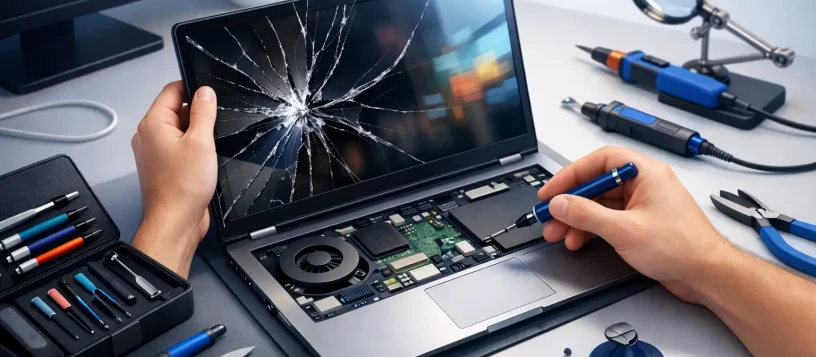
A cracked display can turn a fully working laptop into a device you can barely use. This broken laptop screen repair example shows what a professional repair process looks like, what can affect the final price, and why a quick inspection matters before assuming the entire laptop needs to be replaced.
For students, remote workers, families, and small businesses in Vaughan and nearby communities, a damaged screen often means immediate disruption. You may still hear startup sounds, receive notifications, or see part of the desktop, but working through lines, dark patches, flickering, or broken glass is not a practical long-term solution. In many cases, the laptop itself is fine and the screen can be replaced with the right part.
A Typical Broken Laptop Screen Repair Example
Consider a 15.6-inch Windows laptop that slipped from a desk. The lid closed hard during the fall, leaving a spiderweb crack in the lower corner of the display. When powered on, the laptop starts normally, the keyboard lights up, and Windows loads, but half the screen is black and the remaining area shows vertical colored lines.
The owner may initially worry that the motherboard, graphics card, or storage drive has failed. A certified technician starts by checking the basics: whether the laptop powers on consistently, whether it displays an image on an external monitor, whether the hinge area is damaged, and whether the display cable is still secure.
In this example, the laptop works properly through an external monitor. That is a positive sign. It confirms that the core system is operating and points to a damaged LCD panel rather than a major internal failure. The repair can then focus on replacing the screen assembly or panel, depending on the model.
Step 1: Confirm What Is Actually Broken
A visible crack usually means the LCD panel needs replacement, even if some of the image remains visible. Internal display layers are fragile. Once they are cracked, pressure marks, dark spots, leaking-looking patches, and flickering can spread over time.
Not every screen problem comes from impact damage, though. A laptop with a black screen may have a loose display cable, a failing backlight, a damaged hinge, a graphics issue, or a power-related fault. That distinction matters because installing a new screen will not solve an unrelated motherboard or graphics problem.
During diagnosis, the technician also checks the laptop lid and hinges. If a hinge is stiff, bent, or pulling away from the casing, it can damage a replacement screen later. Addressing the hinge at the same time may add to the repair, but it helps prevent the same issue from returning.
Step 2: Identify the Correct Replacement Screen
Laptop screens are not interchangeable simply because they are the same size. A 15.6-inch screen can have different resolutions, connector types, mounting styles, refresh rates, touch functions, and brightness ratings. Some models use standard LCD panels, while others use slim panels, touchscreen assemblies, OLED displays, or high-resolution screens with more specialized parts.
In this broken laptop screen repair example, the technician checks the laptop’s exact model number and the original panel specifications before ordering or installing a replacement. This avoids common problems such as a screen that physically fits but has the wrong connector, poor brightness, an incorrect resolution, or no touch capability.
Quality also matters. A low-grade replacement may look dimmer, have weaker colors, or fail sooner than expected. A proper quote should explain what part is being used and whether the repair involves the panel alone or a larger display assembly.
Step 3: Provide an Upfront Quote Before Repair
Once the damage and part requirements are clear, the customer should receive a straightforward estimate. The quote generally reflects the screen type, laptop brand and model, availability of parts, labor, and any additional damage found around the hinges, bezel, or display cable.
A basic non-touch laptop screen is often more affordable to replace than a touchscreen or high-resolution panel. MacBook displays, gaming laptop screens, and premium ultrabook panels can cost more because their parts are more specialized. If the device is older and the repair cost approaches the value of the laptop, it may make more sense to discuss replacement options instead.
That is why free diagnosis and clear pricing are useful. The goal is not to push a repair that does not make financial sense. It is to give the customer enough information to make a confident decision before work begins.
Step 4: Replace the Damaged Panel Carefully
With approval to proceed, the repair begins by safely powering down the laptop and disconnecting its battery when the design allows it. The technician removes the bezel or display cover, disconnects the damaged panel, inspects the display cable, and installs the compatible replacement screen.
This is not a job that benefits from rushing. Modern laptop bezels, clips, cables, and thin display panels can be easily damaged with the wrong tools or too much pressure. DIY repair videos can make the process look simple, but a small mistake can crack a new screen, tear a cable, break a bezel, or create a loose connection that causes flickering later.
For the laptop in this example, the display cable is intact and the hinges are secure. The technician installs a matching full-HD replacement panel, reconnects the internal components, and reassembles the lid without forcing the frame or leaving gaps around the bezel.
Step 5: Test the Laptop Before It Goes Home
A screen replacement is not complete when the new panel lights up. The technician should test the display at different brightness levels, check for dead pixels, verify the resolution, open and close the lid to confirm stable operation, and make sure the webcam, microphone, Wi-Fi antennas, and sleep function still work properly.
The repair also includes checking for uneven backlighting, screen flicker, color distortion, and connection issues. On touchscreen models, touch response needs testing across the full display. These final checks are especially valuable for people who rely on their laptops for school, remote work, business records, video calls, or customer communication.
In this example, the repaired laptop boots normally, shows a clear image across the full screen, and works properly when connected and disconnected from an external monitor. The owner can return to using the device without losing files or replacing a laptop that still has years of useful life left.
When a Screen Repair May Be More Complicated
A broken screen is often a straightforward repair, but there are situations where more work is needed. Liquid damage can affect the display, cable, motherboard, and keyboard at the same time. A fall can crack the screen while also damaging the hinge mounts or the laptop casing. A laptop that has no image on either its internal screen or an external monitor may have a different underlying issue.
Data is another concern. Screen damage alone does not usually erase files, but it can make them hard to access. If the laptop starts but the display is unusable, connecting it to an external monitor may allow important documents to be backed up before the repair. If it does not start, diagnostic and data recovery services may be needed separately.
For small business customers, downtime is often the bigger cost. A fast diagnosis can determine whether the employee’s laptop can be repaired the same day, whether a temporary external monitor is a workable short-term solution, or whether files need to be moved to another device while the repair is completed.
How to Protect a New Laptop Screen
After repair, a few habits can reduce the chance of another broken display. Carry the laptop in a padded sleeve, avoid placing pens or earbuds on the keyboard before closing the lid, and open the laptop from the center rather than pulling one corner. Keep drinks away from the workspace, especially near the hinge and keyboard area.
Do not force a lid that feels stiff or uneven. That can be an early warning that a hinge is loosening or binding. Having it checked promptly can prevent pressure from building against the display panel.
Vaughan Computers provides practical laptop diagnostics and screen repairs for customers who need fast, reliable help without the uncertainty. If your display is cracked, flickering, black, or showing lines, getting it assessed early can protect your work, your files, and the laptop you already depend on.