







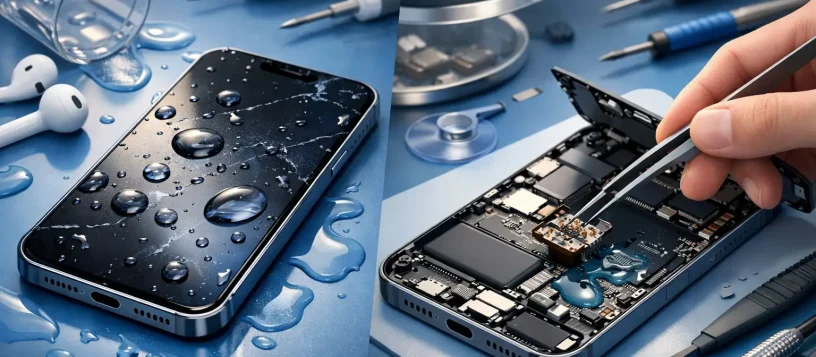
A water damaged iPhone repair example can look very different from a cracked-screen repair. The phone may appear fine immediately after a spill, then stop charging, lose sound, restart repeatedly, or fail completely hours later. That delay is why fast action matters. Liquid can reach connectors, cameras, the charging port, battery area, and the logic board long before the outside of the phone looks damaged.
For people who depend on an iPhone for work, school, banking, family photos, and daily communication, the goal is not simply to get it to turn on. A proper liquid-damage repair focuses on preventing further corrosion, identifying the affected components, protecting recoverable data, and giving you a clear answer before money is spent.
A Realistic Water-Damaged iPhone Repair Example
Consider a common situation: an iPhone falls into a sink for a few seconds. It is pulled out quickly, wiped off, and seems normal. The owner plugs it in to make sure it still charges. By the next morning, the screen is flickering, Face ID is unavailable, and the phone will not recognize the charging cable.
The owner brings the device in for diagnosis. The first step is to avoid powering it repeatedly or connecting it to a charger. Electricity moving through moisture and mineral residue can cause short circuits and speed up corrosion on sensitive components.
A technician inspects the exterior, checks the liquid-contact indicators, and opens the phone using the proper tools. Inside, there may be visible moisture around the charging-port assembly and early corrosion near display connectors. In a more serious case, corrosion may be present on the logic board, which controls many of the phone’s essential functions.
The repair process begins with careful disassembly. The battery is disconnected, affected components are removed, and the device is cleaned to remove residue left by tap water, coffee, soda, pool water, or other liquids. The liquid itself matters. Clean water can still damage electronics, but sugary drinks and salt water often leave more conductive residue and can create faster, more aggressive corrosion.
After cleaning, the technician tests the phone with known-good parts where appropriate. In this example, the screen flicker disappears after connector cleaning, but the charging port remains unreliable. Replacing the damaged charging-port assembly restores cable charging. Face ID, however, may still require further assessment because its components are highly sensitive and repairs are not always possible after liquid exposure.
That is the honest outcome customers need: one phone may need cleaning and a port replacement, while another may require board-level repair or may be better handled as a data-recovery job. There is no responsible one-price answer before the device is inspected.
What to Do Before You Bring It In
The first few minutes after a spill can affect the repair outcome. If the iPhone is on, turn it off as soon as you can. Remove the case and disconnect every cable or accessory. Gently dry the outside with a soft cloth, keeping the charging port facing downward so excess liquid can drain out.
Do not charge the phone, press buttons repeatedly, use a hair dryer, place it on a radiator, or put it in rice. Heat can damage internal seals and components, while rice does not remove residue or corrosion from inside the phone. It can also leave dust in the charging port.
If the phone is still working, do not assume the danger has passed. Backing up data can be useful only if the device is stable and there is no sign of active malfunction. If it is hot, flickering, restarting, not charging, or showing moisture warnings, power it down instead. A professional diagnosis is the safer next step.
Why Professional Cleaning Is More Than Drying
Modern iPhones have water-resistance features, but water resistance is not permanent waterproofing. Seals can weaken with age, drops, previous repairs, heat exposure, and normal wear. A small amount of liquid can enter through a damaged seal, speaker mesh, charging port, or gap around the display.
Drying the outside does not address what happens inside. As moisture evaporates, minerals and contaminants can remain on connectors and circuits. Those deposits may cause intermittent problems days or weeks later. A phone that turns on after being left overnight can still develop a weak battery, charging failure, camera issue, microphone problem, or unexpected shutdown.
Professional liquid-damage service involves opening the device safely, inspecting for corrosion, cleaning affected areas, and testing its core functions. Depending on the model and damage level, testing may include charging, battery behavior, touchscreen response, cameras, speakers, microphones, Wi-Fi, cellular service, buttons, and biometric features.
Repair Choices Depend on the Damage
A water damaged iPhone repair example is most useful when it shows the trade-offs. If corrosion is limited to a replaceable part, such as the charging port, speaker, screen, or battery connection, the repair may be straightforward. If liquid has reached the logic board, the repair becomes more complex and the final decision depends on the phone’s age, condition, value, and the importance of the data stored on it.
For a newer iPhone with a healthy battery and no other major damage, component-level or board-level repair may be worthwhile. For an older device that already has a weak battery, cracked screen, or storage problems, putting significant money into liquid-damage repair may not be the best value. In that case, recovering photos, contacts, messages, or business files may be the priority.
Customers should also understand that replacing a damaged part does not always remove every risk from a liquid-exposed phone. Corrosion can progress in areas that initially test normally. A dependable repair shop will explain what was found, what was repaired, what remains uncertain, and whether a backup should be completed immediately after the device is restored.
Data Recovery Can Change the Best Decision
When an iPhone will not power on after liquid exposure, the most valuable service may be restoring access long enough to retrieve data. This is especially true for phones holding family photos, work messages, authentication apps, notes, and contacts that were never backed up.
Data recovery from a liquid-damaged iPhone is not guaranteed. Modern iPhones use strong encryption, so data is generally tied to the original logic board and the device passcode. Simply moving storage to another phone is not a practical solution. The best chance of recovery is often stabilizing and repairing the original board enough for the phone to boot normally.
That is why it helps to tell the technician what matters most before work begins. If your main goal is data, the repair approach may focus on preserving the original components. If your goal is a reliable daily-use phone, replacing damaged assemblies and thoroughly testing the device may take priority.
Questions to Ask Before Approving Service
A clear repair process should not leave you guessing. Ask whether the phone has internal corrosion, which components appear affected, whether the device can be tested before replacement parts are installed, and whether the quote covers the repair that is actually recommended.
It is also reasonable to ask about data risk, expected turnaround time, parts quality, and what happens if the repair does not resolve the issue. Vaughan Computers provides a free diagnosis and upfront quote, so local customers can understand the condition of their device before deciding how to proceed. A no-fix-no-fee approach is particularly valuable with liquid damage, where the full extent may only become clear after inspection.
The Best Next Step After a Spill
A spilled drink or sink drop does not automatically mean an iPhone is beyond repair. The outcome depends on how quickly it is powered down, what liquid entered the device, how long it remained exposed, and whether corrosion reached critical circuits. Fast, careful handling gives the phone its best chance.
If your iPhone has been exposed to liquid, resist the urge to charge it just to check whether it survived. Keep it powered off, bring it in for a proper assessment, and make the repair decision based on a clear diagnosis. Getting reliable information early can protect both the device and the data you cannot afford to lose.