







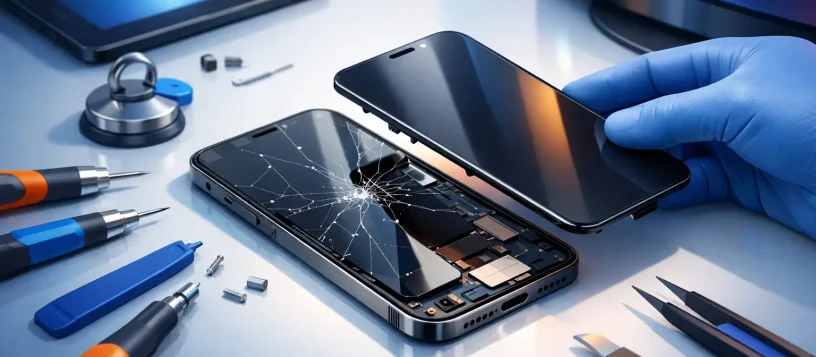
A cracked display can turn a normal workday into a frustrating one fast. A phone becomes difficult to read, a laptop screen flickers during a meeting, or a tablet your child uses for school stops responding to touch. Screen replacement is often the practical answer, but the right repair depends on more than the visible crack.
For Vaughan, Woodbridge, Maple, Kleinburg, and Nobleton residents, the goal is usually simple: get the device working properly again without paying for repairs that do not make financial sense. A proper diagnosis helps determine whether the problem is limited to the screen or whether the drop, pressure, or liquid exposure affected other components too.
What Does Screen Replacement Actually Fix?
A screen is not always a single piece. On many modern phones and tablets, the outer glass, touch-sensitive digitizer, and display panel are closely bonded together. Even if only the glass looks damaged, a complete display assembly may be needed to restore picture quality and touch response.
On laptops, the repair may involve the LCD or LED panel, the touchscreen layer, the display cable, hinges, or the screen bezel. A dark screen does not automatically mean the panel has failed. It could be a backlight issue, a damaged cable, a graphics problem, or a power-related fault. That distinction matters because replacing a screen will not solve a motherboard or software issue.
A professional diagnosis should identify the actual source of the problem before parts are ordered. That keeps the quote clear and prevents paying for a repair that will not address the failure.
Signs Your Device Needs a New Screen
The obvious sign is cracked or shattered glass, especially when sharp edges make the device unsafe to use. But screens can fail without a dramatic crack. Black ink-like blotches, colored lines, flashing, dead pixels, dim areas, or a display that stays black while the device still rings or powers on can all point to screen damage.
Touch problems are another common reason to seek repair. If a phone types on its own, misses taps, responds only in certain areas, or stops recognizing touch completely, the digitizer may be damaged. On a laptop, a flickering image, a screen that changes when the lid moves, or a display that works only at certain angles can indicate a panel or cable problem.
There is also a practical reason not to wait. Small cracks can spread from normal pressure, pocket movement, temperature changes, or another minor bump. Once the display is exposed, dust and moisture can enter more easily. A device that is still usable today may become unreliable when you need it most.
When Screen Replacement Is the Smart Choice
Repair is generally worth considering when the device is otherwise reliable, meets your needs, and has meaningful remaining life. This is common with recent iPhones, Samsung phones, iPads, MacBooks, Windows laptops, and business workstations. Replacing the screen can cost far less than replacing the entire device, especially when the device has enough storage, good battery life, and current software support.
For small businesses, the decision is often about downtime as much as repair cost. Replacing a cracked laptop display can be more affordable and faster than buying, setting up, securing, and transferring files to a new computer. If the device is part of a team workflow, preserving its existing applications, accounts, and settings can save significant time.
Screen repair can also protect data access. A broken display may prevent you from approving sign-ins, retrieving documents, using authentication apps, or completing a backup. If the device powers on but the screen is unreadable, prompt service may help restore access before a small problem becomes a larger disruption.
That said, replacement is not always the best investment. An older device with a failing battery, limited storage, outdated software, water damage, and a damaged display may be approaching the point where replacement makes more sense. A straightforward, upfront quote gives you the information to decide without pressure.
What Affects the Cost of Screen Repair?
The model is the biggest factor. Parts for newer premium phones, foldable devices, OLED displays, high-resolution laptop panels, and touchscreen computers typically cost more than parts for older or standard models. Availability can also affect timing, particularly for less common laptop sizes or specialized tablet displays.
Screen quality matters too. A good replacement should provide clear brightness, accurate color, dependable touch response, and a secure fit. The lowest quote is not always the lowest overall cost if the display has poor visibility, inconsistent touch input, or fails shortly after installation. Ask what type of part is being used and whether the repair is backed by a warranty.
The condition of the device can change the scope of work. Bent frames, damaged housings, loose hinges, battery swelling, or liquid exposure may need attention before a new screen can be installed safely. On some devices, a cracked rear housing or frame can keep a replacement display from sitting correctly. A technician should explain these issues clearly rather than hiding them in the final bill.
Phone, Tablet, and Laptop Screens Need Different Care
Phone screen repairs are often urgent because phones handle calls, banking, navigation, work messages, and two-factor authentication. Many common models can be repaired quickly when parts are available. Before service, back up the phone if you can and avoid pressing hard on a damaged display. If the screen is lifting away from the frame, stop charging it and have the device checked, as swelling can sometimes be involved.
Tablet and iPad repairs require extra care because their displays are thin and tightly assembled. A cracked tablet can still appear to work normally, but damaged glass can make touch issues worse over time. For school, family, or business devices, repair can be a cost-effective way to keep a familiar device in service.
Laptop screen issues need a little more diagnosis. If an external monitor works but the built-in screen does not, the problem may be isolated to the display assembly. If both screens show distorted images, the cause may be more complex. For laptops with cracked hinges or a damaged lid, repairing the supporting structure is just as important as replacing the panel. Otherwise, the new display can be put under stress every time the laptop is opened.
Why Professional Repair Protects Your Device
A screen repair involves more than placing a new panel on the front of a device. Modern devices use delicate cables, adhesives, sensors, cameras, and tightly fitted components. Improper tools or excess force can damage connectors, weaken a frame, affect cameras, or create gaps that invite dust and moisture.
Professional service also means the device can be checked for hidden damage. After a drop, a technician can test charging, cameras, buttons, speakers, microphones, Wi-Fi, touch response, and display performance. This is especially valuable when a phone or laptop was hit hard enough to crack the screen.
At Vaughan Computers, customers can bring in phones, tablets, laptops, and computers for a free diagnosis and an upfront quote. Certified technicians assess the damage, explain the repair options, and work to provide same-day service when the model and required parts allow it. The focus is simple: practical repairs, fair pricing, and no unnecessary guesswork.
Before You Bring in a Cracked Device
If the device still works, make a backup before repair whenever possible. Save important photos, documents, and business files to a secure cloud account, external drive, or another computer. Do not share account passwords unless a specific test requires it, and remove any unnecessary personal accessories.
Avoid covering a shattered display with a thick temporary layer that interferes with touch or traps moisture. If you need to handle broken glass, keep the device in a protective case or place clear packing tape lightly over the cracked area to reduce loose shards until service. Do not attempt to bend a frame back into shape, pry up a lifting screen, or use glue near ports and buttons.
For a business laptop, let the repair team know whether the device has urgent files, encrypted access, specialized software, or a deadline. That context helps prioritize the right solution and reduces avoidable downtime.
A damaged screen does not have to leave you disconnected from work, school, family, or customers. Get a clear diagnosis early, compare the repair cost with the device’s remaining value, and choose a repair that restores dependable use instead of simply hiding the crack.