







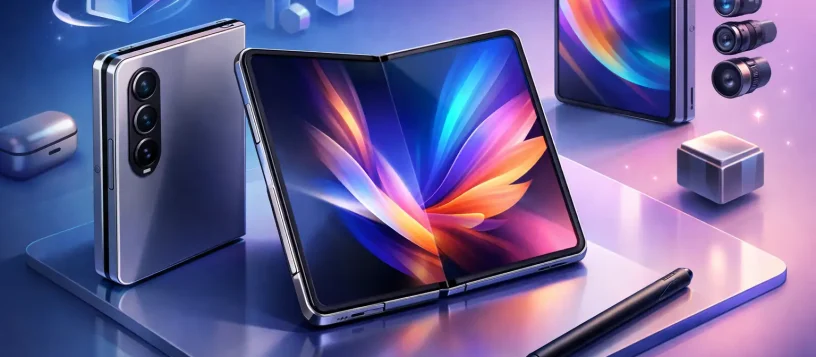
A folding phone is no longer just a conversation starter. For many professionals, students, and families, it has become the device that handles work messages, video calls, documents, photos, maps, and entertainment in one place. That is why the question, what’s new in Samsung Fold 8, is more than a specs question. Buyers want to know whether the next Fold is genuinely easier to carry, more dependable, and better suited to daily use than the model already in their pocket.
The Galaxy Z Fold line has always offered a clear advantage: a phone-sized device that opens into a compact tablet. The trade-off has traditionally been cost, thickness, moving parts, and the extra care required by a folding display. The Fold 8 conversation should focus on whether Samsung has made meaningful progress in those areas, not just whether it added another headline feature.
What’s New in Samsung Fold 8?
When comparing the Samsung Fold 8 with earlier Fold models, start by separating confirmed product details from early online claims. Fold phones generate plenty of rumors before and after release, especially around displays, hinges, cameras, battery capacity, and stylus support. A feature mentioned in a social post or marketplace listing is not necessarily available on every model, region, or storage configuration.
The upgrades that matter most to everyday owners are usually practical. A thinner body can make the phone more comfortable in a pocket. A wider outer screen can reduce the need to unfold the device for quick tasks. A brighter, less reflective inner display can make reading and working easier outdoors. Better camera processing can matter more than a large megapixel number when you are taking photos of family, documents, or products for your business.
For the Fold 8, look closely at the full device experience rather than one specification. The best update would be one that improves how the device feels closed, open, and in hand throughout a long day.
The Hinge and Inner Screen Still Matter Most
The hinge is the mechanical heart of every Fold. It is also one of the reasons a foldable requires more care than a conventional slab-style smartphone. A refined hinge can help the phone close more cleanly, reduce the appearance of the center crease, and improve confidence when opening and closing the device hundreds of times each week.
A less visible crease is welcome, but it should not be the only buying factor. The inner display needs to remain responsive, evenly lit, and protected from dust, pressure, and accidental impact. Folding screens use specialized materials and layered construction. They cannot be treated exactly like the glass panel on a standard phone.
If you are upgrading from an older Fold, inspect the newer model in person when possible. Open and close it several times. Test the screen in direct light. Type on the outer display, then move between apps on the larger inner display. These small checks reveal more about day-to-day comfort than a feature list alone.
A Better Outer Display Can Change Daily Use
Earlier Fold owners often had a simple complaint: the cover screen could feel narrow for typing, browsing, and replying to messages. Any Fold 8 improvement to the outer display is worth paying attention to because it affects how often you need to unfold the phone.
A comfortable cover screen makes the Fold more useful for quick calls, transit directions, two-factor authentication, and one-handed messages. It also means less unnecessary opening and closing during the day. The larger inner screen remains the main reason to choose a Fold, but the outside screen determines whether the phone feels convenient when you are in a hurry.
For small business owners, this balance matters. A Fold should let you respond to a client, view an attachment, check a calendar, and join a video call without forcing you to reach for a laptop for every task. It will not fully replace a workstation for detailed spreadsheets or long editing sessions, but it can reduce the gap between phone work and computer work.
Camera and Performance Upgrades Need Context
New camera hardware attracts attention, but camera results depend on more than the sensor. Image processing, low-light performance, stabilization, portrait handling, and zoom quality all affect the photos you actually keep. If photography is a top priority, compare real-world shots from the Fold 8 with the phone you own now, especially indoor photos and moving subjects.
Performance improvements are also valuable, particularly for people who run multiple apps, edit files, play games, or use their phone as a work tool. A newer processor can make multitasking smoother and support longer software life. Still, performance alone may not justify an upgrade from a recent Fold if your current device remains fast, has good battery health, and meets your needs.
The stronger reason to upgrade is often a combination of improvements: better ergonomics, a more useful outer screen, camera refinements, stronger multitasking, and a hinge that inspires more confidence. One small change may not be enough. Several daily-use improvements together can be.
Battery Life Is About More Than Capacity
A Fold has two displays, a large inner panel, and demanding multitasking features. That means battery life depends heavily on how you use it. Streaming video, mobile hotspot use, gaming, navigation, and long video calls will drain any phone quickly, including a premium foldable.
When evaluating the Samsung Fold 8, consider charging speed, thermal management, and real-world screen time alongside battery capacity. A larger number on paper does not automatically mean a longer day if the screen is brighter, the processor uses more power, or your routine involves heavy multitasking.
Battery health also becomes important after a year or two. If an older Fold is otherwise working well but starts dying early, a professional battery assessment may make more financial sense than replacing the entire device. The right answer depends on the phone’s condition, the cost of repair, and how much the newest features would improve your routine.
What Fold 8 Owners Should Protect From Day One
A premium folding phone deserves a little more attention than a standard smartphone. Use a case designed specifically for the Fold 8 so it does not interfere with the hinge or closure. A case should protect the corners without placing pressure on the inner screen or blocking buttons, microphones, and antennas.
Avoid pressing hard on the inner display, especially near the crease. Keep sand, grit, crumbs, and loose debris away from the hinge area. Do not use sharp objects on the screen, and never peel off a factory-installed inner screen protector unless a qualified technician advises you to do so. If the screen protector begins lifting, get it inspected early instead of continuing to press it back down.
Water resistance can help with accidental splashes, but it is not permission to expose the phone to every wet or dusty environment. Moisture, fine particles, drops, and pressure damage can still affect the screen, hinge, charging port, cameras, or internal components.
When Repair Is the Smarter Choice
A cracked cover screen, weak battery, charging problem, damaged hinge, flickering display, or software issue does not always mean your Fold is finished. Folding devices require careful diagnosis because a visible symptom can sometimes involve more than one component. For example, an inner screen issue may be related to the display assembly, flex cables, hinge damage, or prior impact.
Do not force a Fold open or shut if it suddenly feels stiff, makes an unusual sound, or stops closing properly. Continuing to use it can make a repair more complicated. Back up your important photos, contacts, and work files as soon as possible, then have the device assessed by a technician experienced with Samsung repairs.
For Vaughan, Woodbridge, Maple, Kleinburg, and Nobleton residents, Vaughan Computers can help assess Samsung phone problems with clear upfront guidance. Fast diagnosis is especially helpful when your phone is also your work device, payment tool, camera, and connection to family.
The Fold 8 will be most worthwhile for people who will use its larger screen regularly, not just occasionally. Treat it well, protect your data, and address small problems early. That approach gives a folding phone its best chance of delivering the productivity and convenience that made you choose one in the first place.