







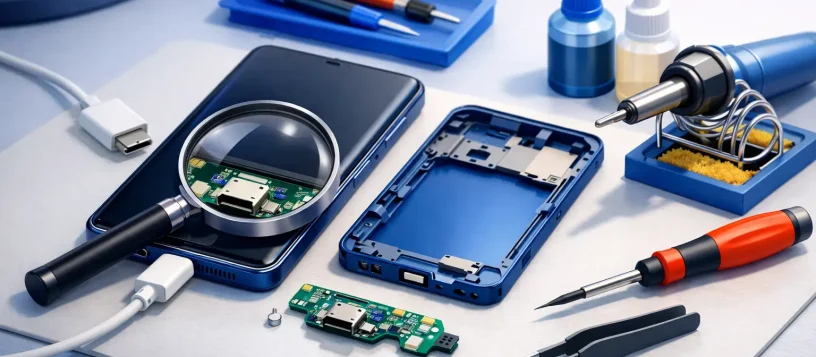
A Samsung phone that only charges at a certain angle can turn a normal day into a frustrating one. Before you replace a cable, buy a new charger, or assume the battery has failed, a proper samsung phone charging port repair assessment can identify what is actually causing the problem. In many cases, the issue is repairable – and catching it early can help prevent more serious charging or motherboard damage.
For families, students, professionals, and small business owners, a phone is not optional. It holds messages, work apps, authentication codes, contacts, photos, and payment tools. When it will not charge reliably, fast and accurate service matters.
Signs You May Need Samsung Phone Charging Port Repair
A completely dead phone is not the only warning sign. Charging ports often show smaller symptoms before they stop working altogether. Your phone may connect and disconnect while charging, charge very slowly, show a moisture or USB warning when dry, or require pressure on the cable to start charging.
Another common sign is a cable that feels loose in the port. A healthy USB-C connection should feel secure. If the plug slips out easily, wiggles noticeably, or does not sit fully inside the phone, debris, worn internal components, or physical damage may be involved.
Some customers notice that wireless charging still works while wired charging does not. That can point toward the charging port, its connection to the phone, or related charging circuitry. It is useful information for a technician, but it is not a reason to ignore the issue. Relying only on wireless charging can be inconvenient, and the underlying fault may worsen over time.
What Causes a Samsung Charging Port to Fail?
The charging port is exposed every day. Pocket lint, dust, makeup residue, food particles, and other debris can become tightly packed at the bottom of the port. The cable may then appear plugged in, but its connectors cannot make a solid contact with the phone.
Wear is another factor. Repeatedly inserting and removing a cable, especially if it is pulled sideways while connected, can damage the internal contact points. A bent cable tip or low-quality charging accessory can add stress and create inconsistent charging.
Liquid exposure is more serious. Even if a Samsung phone has water resistance, that protection is not permanent and does not guarantee that charging components are safe after moisture exposure. Corrosion can develop inside the port or on nearby components, sometimes causing a problem days or weeks later.
The fault may also be outside the port. A damaged charging cable, failing wall adapter, software glitch, weak battery, or motherboard-level issue can produce similar symptoms. That is why a free diagnosis is more useful than guessing and replacing parts unnecessarily.
Fast Checks You Can Safely Try First
Start with a different known-good cable and charging block. Use a quality accessory that fits properly, then test a different wall outlet. If your phone charges normally with another cable, the port may be fine.
Next, turn off the phone and inspect the port under good lighting. Look for lint or visible debris, but do not insert metal tools, pins, paper clips, or anything wet into the opening. Those methods can bend the contacts, short components, or cause a minor cleaning issue to become a repair.
Restarting the device and checking for a software update can also help if the phone is recognizing a charger inconsistently. However, physical symptoms such as a loose connection, visible debris, heat around the port, or charging that works only at an angle usually require hands-on inspection.
If the phone has been exposed to water, do not keep plugging it in to test it. Disconnect the charger, power the phone off if possible, and have it assessed promptly. Applying heat with a hair dryer or placing it in rice is not a reliable repair method and can make matters worse.
When a Professional Repair Is the Better Choice
A charging port repair should be handled by a qualified technician when cleaning does not restore a firm connection, the port is visibly damaged, or the phone will not charge with tested accessories. Professional service is especially important if the device shows overheating, burning smells, moisture warnings, random restarts, or no response at all.
The repair process begins with diagnostics. A technician checks the charging behavior, cable fit, battery condition, charging circuit, and signs of corrosion or internal damage. This step matters because replacing a port will not solve a problem caused by a defective battery or damaged charging circuitry.
If the port is the issue, the technician may clean it professionally or replace the charging port assembly, depending on the Samsung model and extent of damage. Newer phones are compact and contain delicate flex cables, seals, microphones, and internal components near the charging area. Attempting a DIY replacement without the right tools can damage the display, back cover, battery, or data stored on the device.
At Vaughan Computers, customers can receive a clear diagnosis and upfront quote before deciding on a repair. That straightforward approach helps you understand whether the fix is worthwhile, particularly with an older phone or a device that has additional liquid or impact damage.
Can a Charging Port Be Repaired the Same Day?
It depends on the model, the fault, and part availability. A port blocked by debris may be resolved quickly after inspection. A standard port assembly replacement can often be completed the same day when the correct part is available and there is no additional internal damage.
Liquid damage and motherboard faults can take longer. Corrosion may affect more than one component, and a reliable repair requires careful testing rather than a rushed part swap. If your phone contains important work files, photos, or contacts, tell the technician before service begins. Although charging port repairs are normally focused on hardware, protecting important data is always a smart precaution.
The goal should not simply be to make the charging icon appear once. A dependable repair means the cable fits securely, charging remains stable, and the phone is tested before it is returned to you.
Protecting Your Samsung Charging Port After Repair
A few daily habits can extend the life of the repaired port. Avoid using the phone heavily while it is plugged in, since side pressure on the cable can strain the connection. Pull the plug out by its connector rather than yanking the cord, and replace cables with bent, frayed, or loose ends.
Keep the phone out of dusty pockets or bags when possible, and do not force a cable into the port if it does not slide in easily. If you regularly charge in a vehicle, use an adapter and cable that fit securely. Cheap or damaged car chargers can cause inconsistent power delivery and unnecessary wear.
Wireless charging can reduce how often you use the port, but it is not a complete substitute for keeping the port healthy. You may still need wired charging for faster power, data transfer, accessories, or emergencies. A clean, secure USB-C port gives you more flexibility when you need it most.
Get an Accurate Answer Before Replacing Your Phone
A charging problem does not automatically mean your Samsung phone is finished. Many issues come down to compacted debris, a worn port, a damaged cable, or a repairable internal component. The key is not to force the connection or keep testing a phone that is overheating or has been exposed to moisture.
Bring the device in for a professional assessment, ask for an upfront explanation of the problem, and choose the repair only when it makes sense for your phone and budget. A reliable charge is a small thing until you do not have one – then it becomes the connection that keeps your day moving.