







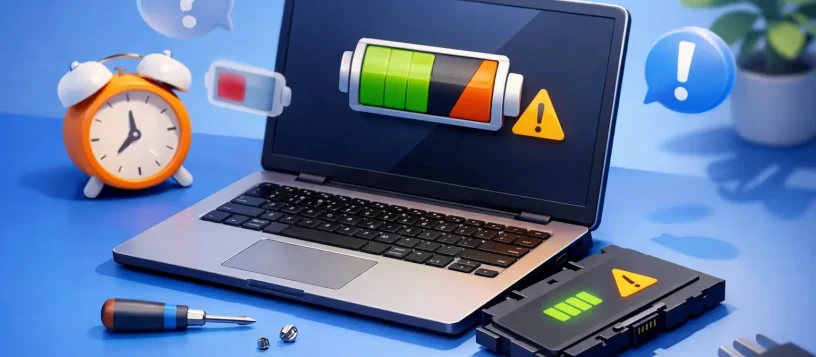
You notice it in small ways first. Your laptop drops from 40% to 12% in minutes, shuts off before the warning appears, or needs to stay plugged in just to get through a meeting or class. If you are asking when should you replace laptop battery, the short answer is this: replace it when the battery no longer supports safe, reliable daily use.
That sounds simple, but the real answer depends on battery health, your device age, and how much downtime you can afford. For some people, a weak battery is an annoyance. For others, especially students, remote workers, and small business users, it quickly becomes a productivity problem.
When should you replace laptop battery instead of waiting?
A laptop battery does not usually fail all at once. It wears down gradually over time. Most lithium-ion laptop batteries start to show noticeable decline after two to four years, depending on charge cycles, heat exposure, and how the laptop is used.
Replacement makes sense when your battery life has dropped far below what you need for normal use. If your laptop used to last six hours and now struggles to make it through ninety minutes, that is not just normal aging you should ignore. It is a sign the battery is no longer doing its job.
Another clear reason is instability. If the battery percentage jumps around, the laptop turns off unexpectedly, or it only works properly while plugged in, the battery is likely deteriorating beyond normal wear. At that stage, continuing to use it can become frustrating and, in some cases, risky.
The most common signs your laptop battery needs replacement
Some warning signs are obvious. Others look like performance problems until the battery is tested properly.
Short runtime is the one most people notice first. If a full charge disappears much faster than it used to, and power settings have not changed, battery wear is the likely cause. This is especially true on older laptops that have seen daily use.
Unexpected shutdowns are more serious. When a laptop powers off even though the battery still shows charge remaining, the battery may no longer be able to deliver stable voltage. That can disrupt work, corrupt open files, and make the device unreliable away from an outlet.
Slow charging or failure to charge fully can also point to battery failure, though it is worth noting that the charger, charging port, or motherboard may also be involved. That is why proper diagnosis matters before replacing parts.
Physical swelling is the sign you should never ignore. If the bottom case is bulging, the trackpad is lifting, or the keyboard surface looks raised, stop using the laptop and have it inspected right away. A swollen battery is a safety issue, not a wait-and-see situation.
Excess heat can be another clue. Laptops naturally get warm, but a failing battery may create unusual heat during charging or light use. If that heat appears with poor battery life and charging issues, replacement is often the right next step.
How long does a laptop battery usually last?
There is no single number that fits every device. Battery lifespan depends on brand, model, usage habits, and environment. In general, most laptop batteries last between 300 and 1,000 charge cycles before capacity drops significantly.
A charge cycle is not just plugging the charger in once. It adds up to using a total of 100% battery capacity over time. So two half discharges count as one cycle. For someone who uses a laptop unplugged every day, those cycles add up faster than they do for someone who mostly works at a desk.
Heat is one of the biggest factors in battery wear. If a laptop often runs hot because of blocked vents, dust buildup, heavy workloads, or poor airflow, the battery usually ages faster. Constant full charging can also contribute over time, though modern power management has improved this on many systems.
Age matters too. Even if a laptop is not used heavily, batteries still degrade over time. A three- or four-year-old battery may lose capacity simply from aging.
When battery replacement is worth it
Battery replacement is often worth it when the laptop still performs well otherwise. If the screen, keyboard, storage, and overall speed still meet your needs, replacing the battery can extend the life of the device at a much lower cost than buying a new laptop.
That is especially true for business users and families who depend on reliable everyday performance. A fresh battery restores portability and makes the laptop practical again for work, school, travel, and home use.
For newer laptops and premium models, replacement is usually an easy decision. Spending on a quality battery can give you another year or two of solid use. For older budget laptops with multiple issues, the math may be different. If the battery is weak, the hinge is damaged, the keyboard is failing, and the system is already slow, replacement may not be the smartest investment.
This is where a proper inspection helps. Sometimes customers assume they need a new laptop when they really just need a battery. Other times they are better off putting repair money toward a replacement device. The right answer depends on the full condition of the machine.
When should you replace laptop battery for safety reasons?
If there is any swelling, chemical smell, leaking, or unusual heat, replace the battery immediately and stop using the device until it is checked. Those symptoms move the issue from convenience to safety.
A damaged battery should not be punctured, pressed down, or charged repeatedly to see if it improves. It should be handled carefully and replaced by a qualified technician. Built-in batteries in modern laptops are not always straightforward to remove, and forcing the process can damage other components.
Safety also matters if the laptop only works with the charger held at a certain angle or if power cuts in and out during movement. That may involve the charging port as well as the battery, and both need to be assessed together.
Can software cause battery-like symptoms?
Yes, and this is where people sometimes replace a battery too soon. High background activity, malware, failing updates, poor power settings, or a worn-out charger can all make it seem like the battery is the problem.
For example, if a laptop suddenly drains fast after an operating system update, the battery itself may still be healthy. If a browser, sync service, or antivirus scan is running constantly, battery life can drop even on a good battery. In other cases, the battery is fine, but the charging port or adapter is not delivering power correctly.
That is why battery testing matters. A proper diagnostic can confirm whether the battery capacity has truly declined or whether another issue is creating the symptoms.
Should you replace the battery yourself?
It depends on the laptop. Some older models have removable batteries that are simple to swap. Many newer laptops do not. Their batteries are installed inside the device, sometimes under adhesive, delicate cables, or tightly packed internal parts.
If you use the wrong battery, damage a connector, or install a low-quality replacement, you can create bigger problems than the one you started with. Poor-quality batteries may also underperform, fail early, or pose safety risks.
For that reason, professional replacement is often the better option, especially for MacBooks, ultrabooks, and business laptops with sealed designs. It saves time, reduces risk, and helps ensure the battery is matched correctly to the system.
The best time to act
The best time to replace a battery is before it starts interfering with your day. If your laptop is still usable but clearly declining, that is the window where battery replacement is most convenient. You can plan the repair instead of dealing with sudden shutdowns, lost work, or a device that cannot leave the desk.
For local users who rely on fast turnaround, Vaughan Computers often sees this pattern. A customer waits until the battery fails completely, then needs urgent help because the laptop is essential for work or school. Replacing it earlier usually means less stress and less disruption.
A weak battery rarely gets better on its own. If your laptop has poor runtime, unstable charging, sudden shutdowns, or signs of swelling, it is time to get it checked. A good battery should support your routine, not limit it. If your laptop cannot hold up through the day anymore, that is usually your answer.