







It happens fast. A coffee tips over. A water bottle leaks inside your bag. One second everything’s fine – the next, your laptop won’t turn on.
If you’re in Vaughan and searching for help, don’t panic. Water damage doesn’t always mean your device is beyond saving. But timing matters – a lot.
At Vaughan Computers, liquid-related issues are one of the most common repair requests. Here’s what you need to know.
First Things First: What You Should Do Immediately
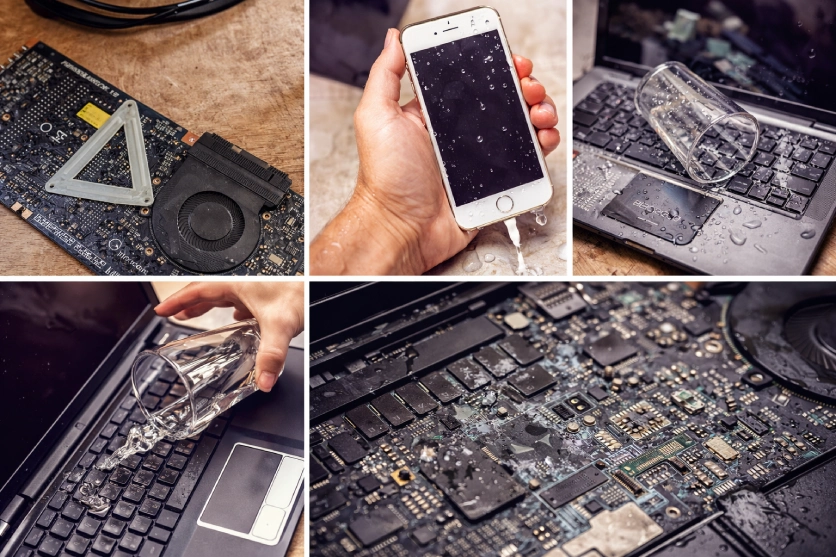
If your laptop or MacBook gets wet:
- Power it off immediately
- Unplug it from the charger
- Do NOT try to turn it back on to “check”
- Avoid using heat (no hair dryers or heaters)
- Bring it in for inspection as soon as possible
Even if the device seems fine after drying, moisture can remain inside. Over time, it causes corrosion that slowly damages the motherboard and internal components.
Why Acting Fast Makes a Big Difference
Liquid damage spreads invisibly. Water, coffee, juice – they all seep into delicate circuits.
Professional Liquid Damage repair involves:
- Opening the device safely
- Inspecting the motherboard under magnification
- Cleaning corrosion using specialized solutions
- Testing individual components
- Replacing only what’s necessary
The sooner this process starts, the higher the chance of saving your laptop – and your data. It also reduces the chances of damage to other components that are not directly affected. On the other hand, waiting a few days can turn a small fix into a major replacement.
Is It Worth Repairing?
Most customers ask: “Should I just buy a new laptop?”
Here’s the truth:
- Many water-damaged devices are repairable
- Data recovery is often possible
- Repairing is usually more cost-effective than replacing
- You avoid reinstalling software and transferring files
Apple devices, especially, can be expensive to replace. MacBooks have tightly integrated components, so early inspection is critical to prevent long-term motherboard failure.
What About Phones and Other Devices?
Liquid damage isn’t limited to laptops. Phones, tablets and iPads are just as vulnerable.
Signs of internal damage include:
- Random shutdowns
- Screen flickering
- Charging issues
- Keyboard or trackpad malfunction
- Overheating
Even if your device turns on, internal corrosion might already be starting.
Protecting Your Data
One of the biggest concerns is losing files – photos, documents, business data.
In many cases:
- Drives remain intact
- Data can be recovered
- Backups can be restored
- Systems can be cleaned and secured
If your device contains important information, tell the technician right away. Data preservation is often the top priority for most people.
Why Choose a Local Repair Shop?
When something urgent happens, you don’t want to ship your laptop away and wait weeks.
Working with a local Vaughan repair specialist means:
- Faster diagnostics
- Transparent communication
- Face-to-face explanations
- Quick turnaround
- Reliable after-service support
It’s reassuring to speak directly with someone handling your device.
Don’t Wait – Small Spills Turn into Big Repairs
Liquid damage rarely fixes itself. Even if your laptop works today, hidden corrosion may cause it to fail next week.
If you’ve had a spill, the safest step is to get it inspected right away.
📞 Call today for a quick assessment.
📍 Or visit the store in Vaughan and have a technician check your device.
The sooner you act, the better your chances of saving both your laptop and everything stored on it.
